Preview
Build your website and try everything before you go live.
$0free
Website builder for vacation rental hosts
Describe your place and Cornerrr builds a vacation rental website with the photos, beds, house rules and a stay request form. Returning guests can ask you directly, and you confirm each stay by email.
What you get
Cornerrr writes every page from your description, then you change anything by clicking or by asking.
Every cabin, cottage or apartment as its own price on request listing with photos, sleeping arrangements, amenities and the minimum stay, so guests ask about the right one.
Dates, number of adults and children, pets and the reason for the trip, sent through your form. Requests land in your Inbox and you reply by email to confirm.
Monthly winter rentals, remote-work stays or an off-season week as their own listings, so guests who’d like a longer or cheaper stay can ask for one.
A Local guide page with beach access, the best bakery, trash days and what to do if the power goes out, for guests to read before they arrive.
Travel and hospitality
Your services with prices, or “price on request” so clients ask first, and every request in your Inbox.
Cornerrr has no availability calendar and doesn’t connect to booking sites, so no request is ever confirmed automatically. You check your calendars and reply, and nothing is promised until you do.
Cornerrr drafts house rules, an FAQ and terms from your description, such as quiet hours, pets and parties. Policy pages are drafts to check, not legal advice.
Guests read directions and house rules on their phones on the way. Every Cornerrr website works on phones, and you edit yours from a browser with nothing to install.
Ask the assistant who sent requests this week or which ones mention August. It answers from your Inbox, so you don’t scroll through emails between turnovers.
Ready-made themes
Made for Photographers, Videographers, Event planners
Editorial and airy for photographers and creatives who take bookings.
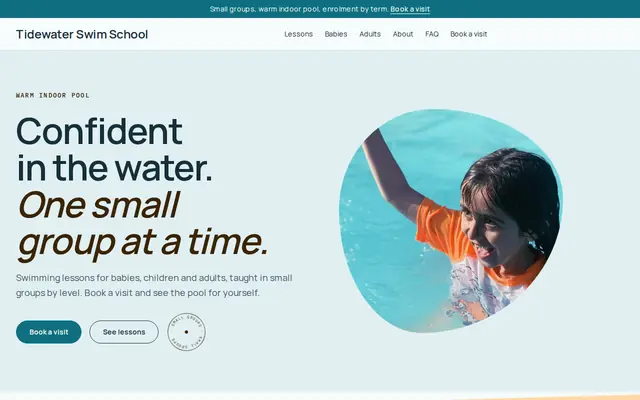
Made for Swim schools, Music lessons, Kids’ clubs
Bright and cheerful for lessons, schools and clubs.
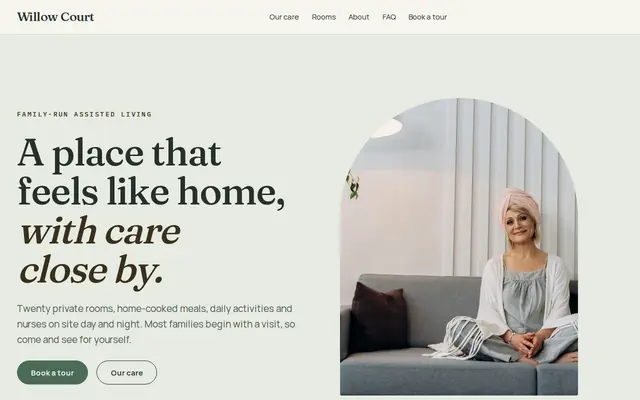
Made for Assisted living, Care homes, Home care
Calm and reassuring, with tour requests front and centre.
Advice
Whatever you build it with, these are the things that turn visitors into customers.
List each bedroom with its bed sizes, and say where the sofa bed is. Families and groups choose a rental by who sleeps where, and guess wrong when it isn’t written down.
Many cities and counties require a short-term rental permit or registration, limit the nights you can rent, or ask you to show a permit number in your listings. Check the rules and your lodging tax duties before you advertise.
Door codes, alarm codes and Wi-Fi passwords belong in your confirmation email, not on a public page. Don’t collect ID or card numbers through a website form either.
Five minutes to the beach, twenty to the ski lift, an hour from the airport: travel times answer one of the first questions guests have, before they send a request.
Put your website address in the welcome book and the checkout note. Guests who loved the place can come back to you directly instead of searching for it again.
How it works
A sentence or two is enough: what you do, who it’s for and how people buy from you.
Cornerrr writes your pages, adds your products or services, and picks the colours, fonts and look. It takes about a minute.
Link a Stripe account, or create one in a few minutes. Your customers pay you directly.
Publish on your free Cornerrr web address, or use your own. Change anything later by asking.
Payments
Payments go through your own Stripe account, straight to you. Your customers see the methods you turn on in Stripe that work for their country and currency.
Selling in Europe or the US? United States, United Kingdom, Germany, France, Netherlands, Ireland and every country we cover.
Pricing
Build and preview for free, no card needed. Every paid plan starts with a 14-day free trial, and Cornerrr adds no transaction fees.
Build your website and try everything before you go live.
$0free
Go live and start selling.
$19a month
Most popular
For growing businesses with subscriptions and deliveries.
$49a month
For several stores and bigger catalogues.
$99a month
Questions
Your website takes stay requests: guests send dates and details, and you confirm by email and arrange payment the way you choose. Cornerrr doesn’t connect to booking sites, so keep those calendars up to date yourself.
Not as a calendar. Many hosts write their open weeks on the home page, such as “a few weeks left in August”, and update the line by asking the assistant. Guests then request the dates they want.
No. One website can list several properties, each with its own page and photos, grouped in a collection. Every request tells you which one the guest is asking about.
Photos of every room, sleeping arrangements, house rules, location and travel times, what’s provided, and how to request dates. Cornerrr builds those pages from your description, and you edit them by clicking.
No. You describe your business in your own words and Cornerrr builds the website. Afterwards you change things by clicking, or by asking the assistant in plain words.
Building and previewing your website is free, with no card needed. To go live and take payments, choose a plan from $19 a month. Every paid plan starts with a 14-day free trial; a card is needed to start it.
Describe your business and see your website in about a minute. It’s free until you go live.