Preview
Build your website and try everything before you go live.
$0free
Website builder for coffee subscription businesses
Describe your roastery and Cornerrr builds a coffee subscription website where people choose a bag size, a grind and how often, and Stripe bills every renewal through your own account.
What you get
Cornerrr writes every page from your description, then you change anything by clicking or by asking.
Every one, two or four weeks, in the bag sizes and grinds customers choose as options. Stripe bills each plan on its own schedule on the Growth plan, and subscribers see it in their account.
A rotating single origin for the curious, and the house blend for people who want the same cup every morning. Two clear plans are easier to choose between than ten.
Single bags, sample sets, grinders, filters and kettles as regular products with stock and fixed shipping rates, for customers who aren’t ready to subscribe.
Three or six months of coffee as one product paid once, shipped to the address the buyer gives. It sells well before the holidays and slots straight into your roast plan.
Deliveries and subscriptions
Plans billed every week or month by Stripe, with one-off products and extras alongside.
Shipping rates apply to one-off orders. For subscriptions, include postage in the plan price so subscribers see one clear amount, and set the countries you ship to once.
Wholesale coffee for cafés and offices as price on request: they send their weekly volume and brewing setup, and the request lands in your Inbox for you to quote.
Cornerrr writes origin and tasting notes for each coffee from a few words, and can make a product listing from a photo of the bag. You edit everything by clicking.
Stripe Tax can calculate sales tax or VAT on plans and one-off bags once it’s active on your Stripe account, so you don’t keep a rate table by hand.
Ready-made themes
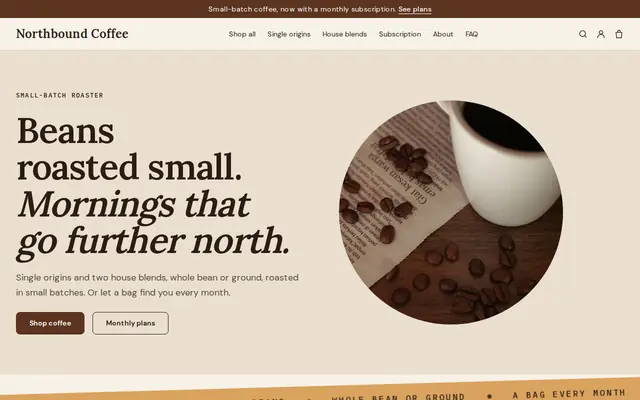
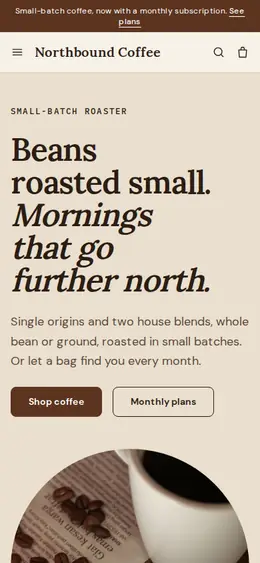
Made for Coffee roasters, Tea shops, Cafés
Bold and modern for roasters, coffee shops and tea sellers.
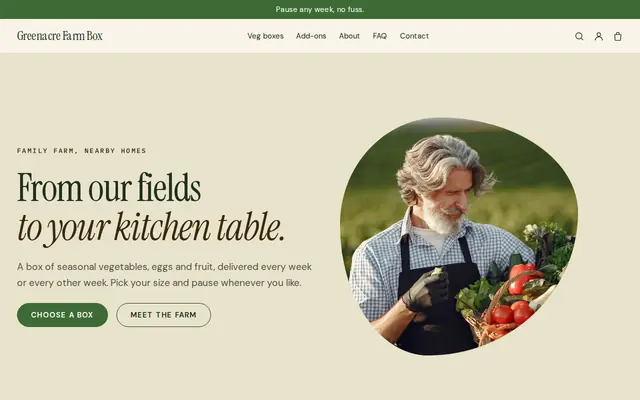
Made for Farm boxes, Meal kits, Local deliveries
Earthy and friendly for farm boxes, meal kits and deliveries that repeat.
Advice
Whatever you build it with, these are the things that turn visitors into customers.
Say how many days after roasting you ship, and print the roast date on every bag. Freshness is a big reason people subscribe to a roaster instead of buying from a supermarket shelf.
Many new subscribers aren’t sure. Name grinds by brewer, such as espresso, filter or French press, and say that whole bean stays fresh longest. Fewer wrong grinds means fewer disappointing first bags.
A short guide like “one person, two cups a day: a medium bag every two weeks” helps people choose a plan that fits. A cupboard full of unopened bags is how coffee subscriptions get canceled.
Pick roast days, then a cut-off, such as orders by Sunday ship after Tuesday’s roast. Put it on the plan page so new subscribers know when their first bag arrives.
A short guide for each brewer, on the blog that comes with the Growth plan, answers the questions new subscribers would otherwise email you and gives search engines more pages to find.
How it works
A sentence or two is enough: what you do, who it’s for and how people buy from you.
Cornerrr writes your pages, adds your products or services, and picks the colours, fonts and look. It takes about a minute.
Link a Stripe account, or create one in a few minutes. Your customers pay you directly.
Publish on your free Cornerrr web address, or use your own. Change anything later by asking.
Payments
Payments go through your own Stripe account, straight to you. Your customers see the methods you turn on in Stripe that work for their country and currency.
Selling in Europe or the US? United States, United Kingdom, Germany, France, Netherlands, Ireland and every country we cover.
Pricing
Build and preview for free, no card needed. Every paid plan starts with a 14-day free trial, and Cornerrr adds no transaction fees.
Build your website and try everything before you go live.
$0free
Go live and start selling.
$19a month
Most popular
For growing businesses with subscriptions and deliveries.
$49a month
For several stores and bigger catalogues.
$99a month
Questions
Create one plan with bag sizes and grinds as options and a billing schedule, such as every two weeks. On Cornerrr’s Growth plan Stripe bills it automatically, and the plan page, FAQ and tasting notes are written for you to edit.
They ask you, through your website or by replying to an email, and you update the subscription in your Stripe Dashboard. Self-service changes aren’t available yet, so say on the plan page how to reach you.
Include postage in the plan price. Fixed shipping rates apply to one-off orders at checkout, but a subscription is billed as one amount each time it renews.
Yes, to the countries you choose at checkout. Your store has one currency; on the Pro plan you can add prices in other currencies, each shown on its own web address.
No. You describe your business in your own words and Cornerrr builds the website. Afterwards you change things by clicking, or by asking the assistant in plain words.
Building and previewing your website is free, with no card needed. To go live and take payments, choose a plan from $19 a month. Every paid plan starts with a 14-day free trial; a card is needed to start it.
Describe your business and see your website in about a minute. It’s free until you go live.