Preview
Build your website and try everything before you go live.
$0free
Website builder for bike shops
Describe your bike shop and Cornerrr builds a website with bikes by type and frame size, parts and accessories with stock, a service menu that takes repair requests, and a Stripe checkout.
What you get
Cornerrr writes every page from your description, then you change anything by clicking or by asking.
Road, gravel, mountain, city and kids’ bikes, each with frame sizes and colors as options and stock for each. Add the rider height range for every size so people can narrow it down.
Tune-ups, brake bleeds, wheel builds and fittings listed with what’s included. Customers send a repair request with the bike and the problem, and you reply with a day to drop it off.
Tubes, tires, lights, helmets and locks as products with SKUs and stock. Small, light items ship easily and bring in orders between bike sales.
A form for customers to ask for a test ride or a fit, with their height and the bikes they’re considering. Requests land in your Inbox for you to arrange.
Shops and makers
Products with photos, options, prices and stock, a cart and a Stripe checkout.
Service requests arrive in your Inbox and by email with the bike, the problem and how to reach the customer. You reply when you know how full the workshop is.
Every tube, tire and chain has its SKU and stock count, and checkout stops when one runs out. Turn on “sell when out of stock” for parts your supplier gets you in a day or two.
Each service can have its own page with a title and description you edit, and Cornerrr adds a sitemap and structured data for your business.
Ship parts with fixed rates you set. Add the carrier and tracking number when a parcel goes, and the customer gets a shipping email with the tracking link.
Ready-made themes
Made for Outdoor gear, Bike shops, Sports shops
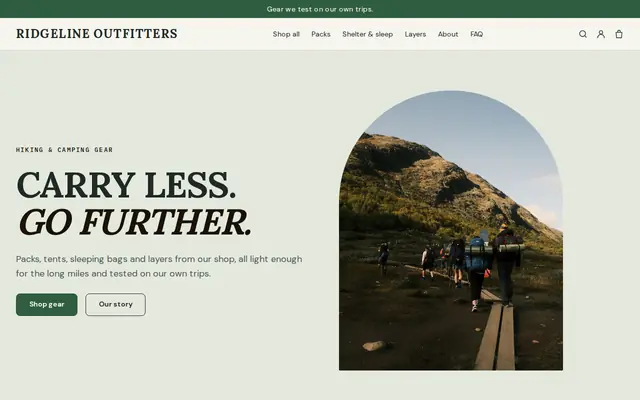
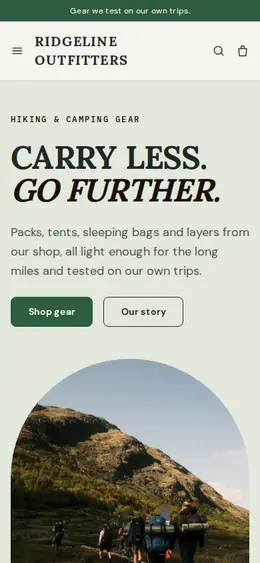
Rugged and outdoorsy for adventure and sports shops.
Advice
Whatever you build it with, these are the things that turn visitors into customers.
People compare tune-up prices before they call. List your standard services with what each includes, and say clearly that parts are extra so the final bill isn’t a surprise.
Give a rider height range for each frame size and explain how to measure inseam. It gives a nervous first-time buyer the confidence to order and saves you a swap later.
Many US states sort e-bikes into three classes, and in the EU and UK an e-bike that counts as a bicycle only assists up to 25 km/h. Say which applies to each model, since it decides where it can be ridden.
A boxed bike needs assembly and adjustment, and a badly built bike is a safety risk. Some shops ship parts everywhere but hand complete bikes over in person after a fitting; say clearly which you do.
Photos of your mechanics and workstands build the kind of trust a parts warehouse can’t. Put your opening hours, address and usual repair turnaround on your Contact page.
How it works
A sentence or two is enough: what you do, who it’s for and how people buy from you.
Cornerrr writes your pages, adds your products or services, and picks the colours, fonts and look. It takes about a minute.
Link a Stripe account, or create one in a few minutes. Your customers pay you directly.
Publish on your free Cornerrr web address, or use your own. Change anything later by asking.
Payments
Payments go through your own Stripe account, straight to you. Your customers see the methods you turn on in Stripe that work for their country and currency.
Selling in Europe or the US? United States, United Kingdom, Germany, France, Netherlands, Ireland and every country we cover.
Pricing
Build and preview for free, no card needed. Every paid plan starts with a 14-day free trial, and Cornerrr adds no transaction fees.
Build your website and try everything before you go live.
$0free
Go live and start selling.
$19a month
Most popular
For growing businesses with subscriptions and deliveries.
$49a month
For several stores and bigger catalogues.
$99a month
Questions
They send a repair request with the bike, the problem and when they’d like to drop it off. It lands in your Inbox and by email, and you reply to confirm. There’s no booking calendar, so you decide how many bikes come in each day.
You can list them with sizes and stock and take payment online. If you’d rather fit each rider first, mark bikes “price on request” and say that local customers can arrange a fitting and collection with you.
Cornerrr doesn’t lend money, but if you turn on Klarna, Affirm or Afterpay in Stripe where they’re available, customers can choose them at checkout and the provider pays you.
Use your town and the services people search for, like bike repair or e-bike service, in your page titles, and link your website from your Google Business Profile. Cornerrr adds a sitemap and structured data; no website builder can promise rankings.
No. You describe your business in your own words and Cornerrr builds the website. Afterwards you change things by clicking, or by asking the assistant in plain words.
Building and previewing your website is free, with no card needed. To go live and take payments, choose a plan from $19 a month. Every paid plan starts with a 14-day free trial; a card is needed to start it.
Describe your business and see your website in about a minute. It’s free until you go live.