Preview
Build your website and try everything before you go live.
$0free
Website builder for auto repair shops
Tell Cornerrr what you fix and which makes you know best, and it builds your auto repair shop website: a service menu with the prices you choose to show, quote requests with the car’s details, your certifications, your hours and a map link.
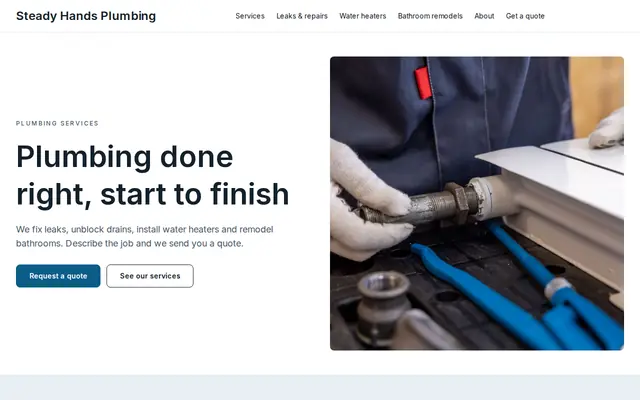
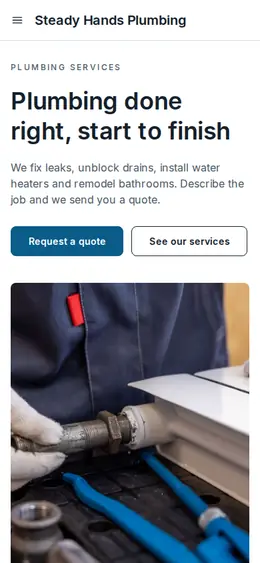
What you get
Cornerrr writes every page from your description, then you change anything by clicking or by asking.
Oil changes, brake pads, alignments and inspections as services with a price where it’s standard, and with the price hidden where it depends on the car.
Drivers send the make, model, year and what’s wrong, plus a phone number. Requests land in your Inbox and by email, and you reply with a quote.
Jobs with a set price, like a seasonal check or a pre-purchase inspection, can be products that drivers pay for at checkout before they bring the car in.
Local businesses with vans and company cars ask for fleet servicing through a form, with how many vehicles they run. You reply with your terms.
Cars and vehicles
What you offer without a price, and quote requests with the quantities and details you need.
A contact section with your address, opening hours, a map link and a phone number that dials when tapped, so a driver with a warning light can reach you fast.
Each request, with the car and the problem, lands in one Inbox and in your email. Reply by email, and nothing gets lost on a sticky note by the phone.
Cornerrr writes service pages drivers understand, like what a timing belt does and when it’s due. Ask the assistant to shorten them or add your warranty terms.
Page titles, descriptions, a sitemap and structured data for your business, so search engines know what you do and where. No ranking promises, just the basics done properly.
Ready-made themes
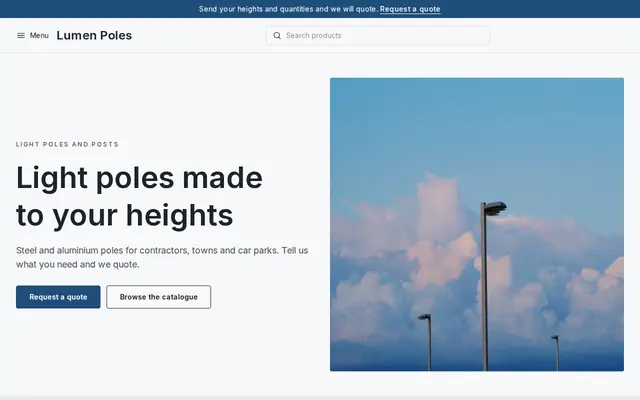
Made for Manufacturers, Suppliers, Contractors
Crisp and industrial for suppliers who sell on quotes.
Advice
Whatever you build it with, these are the things that turn visitors into customers.
ASE certification in the US, or IMI accreditation or a trade association membership in the UK. Use only the logos you have permission to use, near your contact details.
Explain that you call with a quote before you start, and how you handle extra problems found during a job. Surprise bills are what many drivers fear most from a new shop.
How long parts and labor are covered, and what isn’t covered. Keep it the same as the terms printed on your invoices.
Brakes, diagnostics, air conditioning, inspections. People search for the job, like “brake repair near me”, more often than for a shop name.
Your website, your Google Business Profile and the sign on the door should match. Wrong Saturday hours cost you the drivers who needed you that day.
How it works
A sentence or two is enough: what you do, who it’s for and how people buy from you.
Cornerrr writes your pages, adds your products or services, and picks the colours, fonts and look. It takes about a minute.
Link a Stripe account, or create one in a few minutes. Your customers pay you directly.
Publish on your free Cornerrr web address, or use your own. Change anything later by asking.
Payments
Payments go through your own Stripe account, straight to you. Your customers see the methods you turn on in Stripe that work for their country and currency.
Selling in Europe or the US? United States, United Kingdom, Germany, France, Netherlands, Ireland and every country we cover.
Pricing
Build and preview for free, no card needed. Every paid plan starts with a 14-day free trial, and Cornerrr adds no transaction fees.
Build your website and try everything before you go live.
$0free
Go live and start selling.
$19a month
Most popular
For growing businesses with subscriptions and deliveries.
$49a month
For several stores and bigger catalogues.
$99a month
Questions
Show prices for simple, standard jobs and hide them where the car matters. With Cornerrr, each service can show a price or be “price on request”, and the request form collects the car’s details.
They can send a request with the car, the problem and when they could drop it off, and you confirm by email. Cornerrr has no calendar or automatic booking.
Keep the form short: name, phone, car and the problem. Link to it from every service page, and say plainly what happens after someone sends it.
For jobs with a fixed price, yes: list them as products and customers pay through Stripe Checkout. Quoted repairs are agreed by email, and payments at your counter stay with your current setup.
No. You describe your business in your own words and Cornerrr builds the website. Afterwards you change things by clicking, or by asking the assistant in plain words.
Building and previewing your website is free, with no card needed. To go live and take payments, choose a plan from $19 a month. Every paid plan starts with a 14-day free trial; a card is needed to start it.
Describe your business and see your website in about a minute. It’s free until you go live.