Preview
Build your website and try everything before you go live.
$0free
Website builder for veterinarians
Pet owners open a vet’s website in one of two moods: planning a checkup, or worried right now. Cornerrr builds a veterinary clinic website for both, with emergency numbers at the top, your services and team, and an appointment request for anything that can wait.


What you get
Cornerrr writes every page from your description, then you change anything by clicking or by asking.
Checkups, vaccinations and follow-ups requested online with the pet’s name, species and the reason for the visit. Requests land in your Inbox and by email, and your team confirms a time.
Your phone number, your out-of-hours provider and what to do in an emergency, linked from your main menu, with a plain note that the request form isn’t for urgent cases.
A monthly plan for vaccinations, checkups and routine parasite control, billed automatically by Stripe on the Growth plan, if your practice offers one.
Each service explained in plain words, and each vet and nurse with their role and qualifications, so owners know who they’ll see.
Pets and animals
Your services with prices, or “price on request” so clients ask first, and every request in your Inbox.
Appointment requests land in one Inbox and in your email. Ask the assistant which requests came in overnight, and reply from your practice email in the morning.
On the Growth plan, care plans renew every month through your own Stripe account, and clients see their plan in their account. Changes go through your front desk.
Cornerrr adds structured data for your business, page titles and a sitemap, so search engines can read your clinic’s details when owners nearby look for a vet.
The assistant drafts and rewrites service pages in plain language, and you review every change before applying it, so nothing reads like a medical promise.
Ready-made themes
Made for Dentists, Clinics, Opticians
Clean and trustworthy for clinics that take appointment requests.
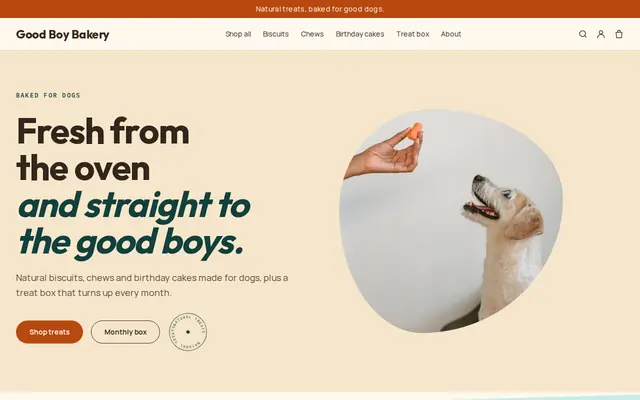
Made for Pet treats, Pet shops, Dog groomers
Fun and friendly for pet shops and pet services.
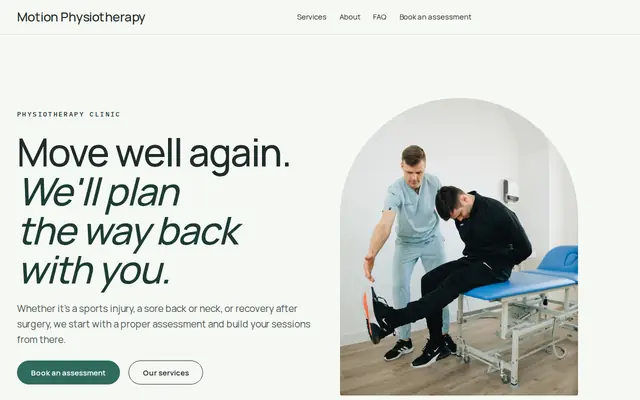
Made for Physiotherapists, Chiropractors, Massage therapists
Fresh and professional for therapists and health practices.
Advice
Whatever you build it with, these are the things that turn visitors into customers.
A worried owner at 2am needs your phone number and your out-of-hours provider in one tap. Put both on the home page, and say clearly that online requests aren’t read around the clock.
Vets are licensed by a state board in the US and registered with the RCVS in the UK. Show each vet’s name, role and qualifications, and keep it current when people join or leave.
The RCVS in the UK and state veterinary boards in the US have rules on advertising and claims. Describe services factually, avoid promising outcomes, and check before comparing yourself with other practices.
Ask for the pet’s name, species and the reason for the visit, and leave the detailed history for the consultation. Tell owners to phone if their pet is unwell today.
List exactly what’s included and what isn’t, and say plainly that it isn’t insurance. Owners often confuse the two, and in some places plans that work like insurance are regulated.
How it works
A sentence or two is enough: what you do, who it’s for and how people buy from you.
Cornerrr writes your pages, adds your products or services, and picks the colours, fonts and look. It takes about a minute.
Link a Stripe account, or create one in a few minutes. Your customers pay you directly.
Publish on your free Cornerrr web address, or use your own. Change anything later by asking.
Payments
Payments go through your own Stripe account, straight to you. Your customers see the methods you turn on in Stripe that work for their country and currency.
Selling in Europe or the US? United States, United Kingdom, Germany, France, Netherlands, Ireland and every country we cover.
Pricing
Build and preview for free, no card needed. Every paid plan starts with a 14-day free trial, and Cornerrr adds no transaction fees.
Build your website and try everything before you go live.
$0free
Go live and start selling.
$19a month
Most popular
For growing businesses with subscriptions and deliveries.
$49a month
For several stores and bigger catalogues.
$99a month
Questions
They send an appointment request with their pet’s details and the reason for the visit; it lands in your Inbox and by email, and your team confirms a time by reply. For anything urgent, your website tells them to phone.
Yes, on the Growth plan. A care plan is a subscription that Stripe bills each month, with what’s included written on the plan page. Check your local rules first if the plan covers anything beyond routine care.
You can sell food, accessories and other products with stock and shipping. Prescription medicines have their own rules on who can supply them and how, so check your regulator’s guidance before listing any.
Your phone number, opening hours, out-of-hours provider and a plain line that online requests aren’t for emergencies. Put it at the top of the home page and on its own Emergencies page.
No. You describe your business in your own words and Cornerrr builds the website. Afterwards you change things by clicking, or by asking the assistant in plain words.
Building and previewing your website is free, with no card needed. To go live and take payments, choose a plan from $19 a month. Every paid plan starts with a 14-day free trial; a card is needed to start it.
Describe your business and see your website in about a minute. It’s free until you go live.