Preview
Build your website and try everything before you go live.
$0free
Website builder for boarding kennels
Before they leave their dog or cat for a week, owners want to see the kennels, the runs and the people. Cornerrr builds a dog boarding website around that: photos of every space, rates per night, care rules and a request form for stay dates.

What you get
Cornerrr writes every page from your description, then you change anything by clicking or by asking.
Owners send the arrival and departure dates, the number of pets and any feeding or medication needs. The request lands in your Inbox and by email, and you confirm after checking space.
Separate pages for dogs and cats, with photos of the kennels, runs and cat suites, their sizes, heating, and how often dogs get out each day.
“Visit us” listed as its own service on request, so nervous owners ask to see the kennels the same way they ask for a stay.
A bath before going home, extra walks, a training refresher or giving medication, listed with a price or on request.
Pets and animals
Your services with prices, or “price on request” so clients ask first, and every request in your Inbox.
Tell the assistant that Christmas is full and summer is filling, and it suggests a new line for your home page, which you apply with one click.
Every stay request arrives by email and in your Inbox. Ask the assistant which requests are for August, then reply to each owner by email.
Add a page for vaccinations, what to bring, feeding and medication, and drop-off and pick-up times, and link it from every rate.
Cornerrr drafts terms and privacy pages you can adapt for boarding, for example what happens if a pet falls ill during a stay. They’re drafts, not legal advice.
Ready-made themes
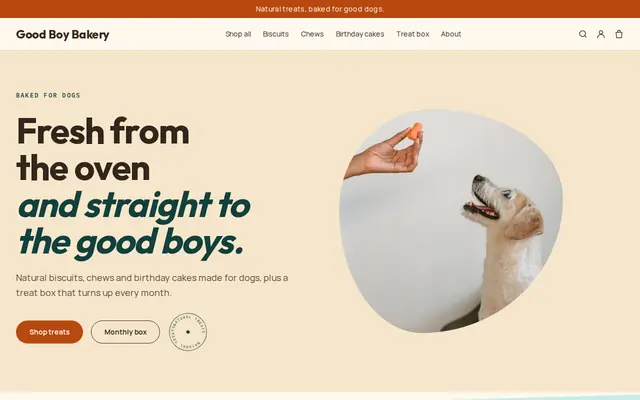
Made for Pet treats, Pet shops, Dog groomers
Fun and friendly for pet shops and pet services.
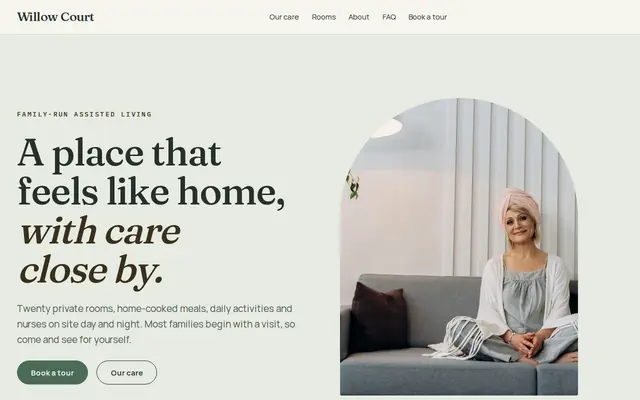
Made for Assisted living, Care homes, Home care
Calm and reassuring, with tour requests front and centre.
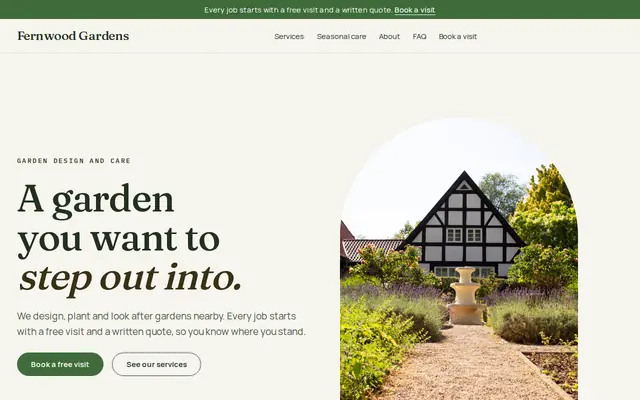
Made for Gardeners, Landscapers, Tree surgeons
Green and natural for gardeners and landscapers.
Advice
Whatever you build it with, these are the things that turn visitors into customers.
The kennels, the runs, the exercise field, the cat suites and the food prep area. Owners who can picture where their pet sleeps feel much easier about asking for a stay.
In England, boarding kennels and catteries need a council license and get a star rating from one to five. In the US, some states license kennels. Say what you hold and when you were last inspected.
Vaccination records, kennel cough protection for dogs, flea treatment, the feeding routine and the vet’s details. Ask owners to bring them on arrival day rather than typing them into a web form.
Summer vacations and the winter holidays fill months ahead. Say when you open requests for those dates, and update your home page the moment they’re full.
How many walks or runs, playtime, feeding times, and whether dogs from the same home can share a kennel. Specifics reassure owners far more than “lots of love”.
How it works
A sentence or two is enough: what you do, who it’s for and how people buy from you.
Cornerrr writes your pages, adds your products or services, and picks the colours, fonts and look. It takes about a minute.
Link a Stripe account, or create one in a few minutes. Your customers pay you directly.
Publish on your free Cornerrr web address, or use your own. Change anything later by asking.
Payments
Payments go through your own Stripe account, straight to you. Your customers see the methods you turn on in Stripe that work for their country and currency.
Selling in Europe or the US? United States, United Kingdom, Germany, France, Netherlands, Ireland and every country we cover.
Pricing
Build and preview for free, no card needed. Every paid plan starts with a 14-day free trial, and Cornerrr adds no transaction fees.
Build your website and try everything before you go live.
$0free
Go live and start selling.
$19a month
Most popular
For growing businesses with subscriptions and deliveries.
$49a month
For several stores and bigger catalogues.
$99a month
Questions
They send a stay request with their dates and pets; it lands in your Inbox and by email, and you confirm by reply once you’ve checked space. Nothing books itself, so you only take stays you can fit.
Yes. Show a price per night for each size of dog and for cats, and say what’s included and what costs extra. Owners compare kennels on this first.
Yes. List a visit as its own service on request, and owners ask for one the same way they ask for a stay. Many kennels find a first visit settles nervous owners.
Yes. Cornerrr builds the pages you describe, and you can add, rename or remove pages by clicking. Many kennels keep the cattery on its own page, because cat owners rarely want to read about dog runs.
No. You describe your business in your own words and Cornerrr builds the website. Afterwards you change things by clicking, or by asking the assistant in plain words.
Building and previewing your website is free, with no card needed. To go live and take payments, choose a plan from $19 a month. Every paid plan starts with a 14-day free trial; a card is needed to start it.
Describe your business and see your website in about a minute. It’s free until you go live.