Preview
Build your website and try everything before you go live.
$0free
Website builder for dentists
Describe your practice and Cornerrr builds the pages patients check before they call: treatments, the insurance you take, the dentists, office hours and a new patient request form. Requests land in your Inbox, and your front desk replies.

What you get
Cornerrr writes every page from your description, then you change anything by clicking or by asking.
Checkups, cleanings, fillings, crowns, implants, whitening and aligners, each explained in plain words: what happens, how long it takes and how to prepare. Patients search for the treatment, not the practice.
A short form asks for a name, phone number, email, whether they’re new to the practice and a short note. It lands in your Inbox and by email, and your front desk calls back to find a time.
Your phone number first, then what counts as a dental emergency, when you can usually fit people in and what to do after hours. A request form helps patients who can’t call right away.
For patients without dental insurance, a monthly or yearly plan covering routine visits can be a Stripe subscription on the Growth plan. Some states have rules for these plans, so check yours before you launch one.
Care and health
Your services with prices, or “price on request” so clients ask first, and every request in your Inbox.
Patients send a request and your team confirms by email or phone from your own practice software. There’s no second calendar to keep up to date.
Add an insurance page naming the plans you’re in network with, and update it by clicking when a contract changes. It’s the question your front desk answers most.
Cornerrr writes friendly, plain pages. Ask the assistant to rewrite a treatment page for someone anxious about the dentist, or to explain a crown without jargon.
Page titles, descriptions, business details and a sitemap are set up for search engines. Add your neighborhood to page titles and link the website from your Google Business Profile.
Ready-made themes
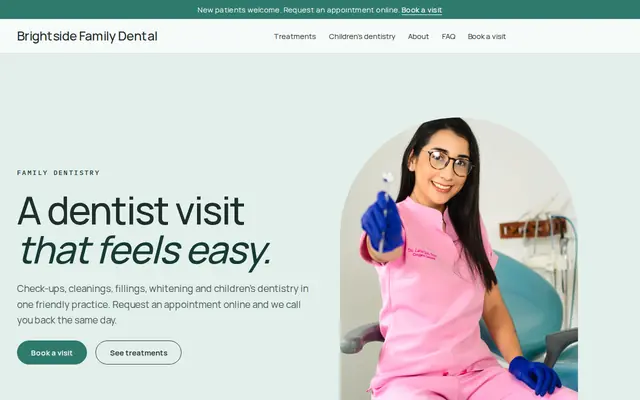
Made for Dentists, Clinics, Opticians
Clean and trustworthy for clinics that take appointment requests.
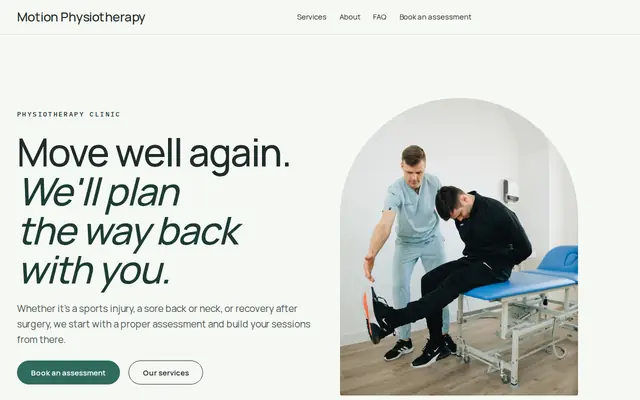
Made for Physiotherapists, Chiropractors, Massage therapists
Fresh and professional for therapists and health practices.
Advice
Whatever you build it with, these are the things that turn visitors into customers.
List the plans you’re in network with by name, say whether you file claims for out-of-network patients, and explain the options for patients without insurance. Update it whenever a contract changes.
In many US states, only dentists trained in a recognized specialty may advertise as specialists, and general dentists who place implants or straighten teeth must word it carefully. Check your state dental board’s advertising rules.
A friendly photo, where they trained, what they enjoy about dentistry and how they help nervous patients. People choose a dentist they feel they’ve already met.
Whitening and smile photos are persuasive, but get the patient’s written consent, don’t retouch the result, and follow your board’s rules on them.
Ask for contact details and a short note on your forms, nothing about medications or conditions. Collect medical history through your practice software or at the first visit.
How it works
A sentence or two is enough: what you do, who it’s for and how people buy from you.
Cornerrr writes your pages, adds your products or services, and picks the colours, fonts and look. It takes about a minute.
Link a Stripe account, or create one in a few minutes. Your customers pay you directly.
Publish on your free Cornerrr web address, or use your own. Change anything later by asking.
Payments
Payments go through your own Stripe account, straight to you. Your customers see the methods you turn on in Stripe that work for their country and currency.
Selling in Europe or the US? United States, United Kingdom, Germany, France, Netherlands, Ireland and every country we cover.
Pricing
Build and preview for free, no card needed. Every paid plan starts with a 14-day free trial, and Cornerrr adds no transaction fees.
Build your website and try everything before you go live.
$0free
Go live and start selling.
$19a month
Most popular
For growing businesses with subscriptions and deliveries.
$49a month
For several stores and bigger catalogues.
$99a month
Questions
Patients send an appointment request with their contact details and a short note. On Cornerrr it lands in your Inbox and by email, and your team confirms a time by phone or email. There’s no online calendar to manage.
The plans you’re in network with, whether you file claims for others, and what patients without insurance can do, such as join an in-house plan. It’s one of the first things new patients look for.
Yes. On the Growth plan, a membership plan can be a subscription billed monthly or yearly by Stripe, and members see it in their account. Check your state’s rules for in-house dental plans first.
Not usually. One website with a page per office, each with its own address, hours, phone number and team, keeps things simple and helps search engines match each location.
No. You describe your business in your own words and Cornerrr builds the website. Afterwards you change things by clicking, or by asking the assistant in plain words.
Building and previewing your website is free, with no card needed. To go live and take payments, choose a plan from $19 a month. Every paid plan starts with a 14-day free trial; a card is needed to start it.
Describe your business and see your website in about a minute. It’s free until you go live.