Care and health · Motion
Motion, a physical therapy website template with a clear first step
Every patient starts with an assessment in Motion, a physical therapy website template for clinics that see sports injuries, back and neck pain, and rehab after surgery, with a request form at the end of every path. Start with it and it becomes your clinic’s website.
- Free to build and preview
- Payments by Stripe
- No transaction fees from Cornerrr
About this theme
Motion Fresh and professional for therapists and health practices.
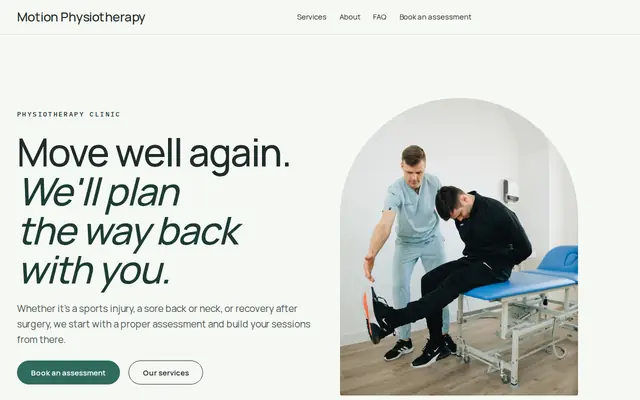
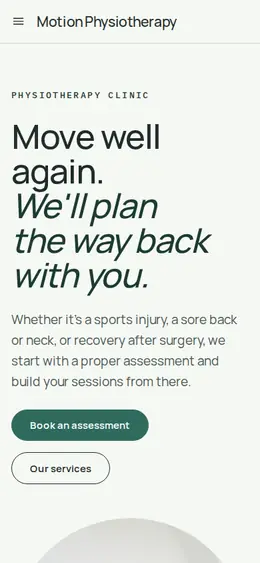
Motion suits physical therapy clinics, chiropractors and massage therapists who want to look professional and calm. Fresh greens, clear sans-serif type and lots of white space keep it trustworthy and easy to read. Its best idea is showing the path before the patient asks: book an assessment, agree a plan, come back for follow-up sessions. Services carry no prices, and every page ends with “Book your assessment”, so someone who is hurting doesn’t have to hunt for the next step.
- Made for
- Physiotherapists, Chiropractors, Massage therapists
- Feel
- Calm: quiet and spacious
- Comes with
- 4 pages, 4 sample services
- Mood
- calm, trustworthy, clear, reassuring
- background
- foreground
- primary
- accent
- muted
What’s inside
Every page, already written.
Home
A photo hero with two buttons, a line on recovery, how it works in three steps, the four services, the kinds of problems you see, three common questions and the assessment request form.
About
How the clinic works: assessment first, findings explained plainly, follow-ups built on the plan, and a call to book.
FAQ
What happens at the first assessment, which conditions you see, whether a follow-up is needed and how to book. Add referral, insurance and cancellation notes.
Contact
The “Book your assessment” form: name, email, phone and what they’d like help with. You receive it in your Inbox and reply to arrange a time.
How it works
From a few words to your own Motion website, live.
Step 1: Describe your business
A sentence or two is enough: what you do, who it’s for and how people buy from you.
Step 2: We build it while you watch
Cornerrr writes your pages, adds your products or services, and picks the colours, fonts and look. It takes about a minute.
Step 3: Connect payments
Link a Stripe account, or create one in a few minutes. Your customers pay you directly.
Step 4: You’re live
Publish on your free Cornerrr web address, or use your own. Change anything later by asking.
Questions
Good to know
Can patients book follow-ups online with Motion?
They can send a request for any session, follow-ups included, and it lands in your Inbox. You confirm times by email or phone, since Cornerrr has no calendar. If you’d rather be paid up front, give a session a price and patients pay at checkout.
What should I change in Motion before going live?
The conditions you see, your qualifications and registrations, your address and your hours. Avoid promising results, and check your licensing board’s advertising rules. Keep medical history out of the request form; collect it at the assessment.
Can a massage therapist use Motion?
Yes. Swap the services for massage types and lengths, change “assessment” to “first visit”, and ask the assistant to rewrite the pages in your voice.
Motion suits
- Physical therapy clinic website builder
- Chiropractor website builder
- Massage therapist website builder
- Acupuncture clinic website builder
- Speech therapist website builder
- Dental practice website builder
- Nutritionist website builder
- Esthetician website builder
- Personal trainer website builder
Make Motion yours.
Start with this theme and Cornerrr builds your website from it with your own name. Free until you go live.