Preview
Build your website and try everything before you go live.
$0free
Website builder for stables and equestrian centers
An equestrian center serves three kinds of people: boarders paying every month, riders after lessons and visitors looking for a trail ride. Cornerrr builds a horse stable website for all three, with monthly board billed by Stripe on the Growth plan.
What you get
Cornerrr writes every page from your description, then you change anything by clicking or by asking.
Full, partial and self-care board (full, part and DIY livery in the UK) as plans billed every month by Stripe on the Growth plan. Boarders see their plan in their account.
Private and group lessons for children and adults, with levels explained. Riders request a lesson with their experience and the days that suit them, and you confirm by email.
Summer camps and weekend clinics as products with a set number of places as stock, paid online through Stripe. Checkout stops when a camp is full.
Guided rides with the length, the minimum age, any weight limit and what to wear, requested with the date and the number of riders.
Pets and animals
Plans billed every week or month by Stripe, with one-off products and extras alongside.
Stripe bills each boarder every month by card, or by direct debit where Stripe supports it for subscriptions, such as ACH in the US or Bacs in the UK. Boarders see their subscription when they sign in.
Camps, clinics and group lessons with places as stock: stock goes down as places are paid for, and checkout stops when none are left.
Add pages for the arena, stalls, turnout and trails with your own photos, and Cornerrr writes alt text for each one.
Lesson and trail ride requests land in your Inbox and by email. Ask the assistant which requests are for this weekend, then reply to each.
Ready-made themes
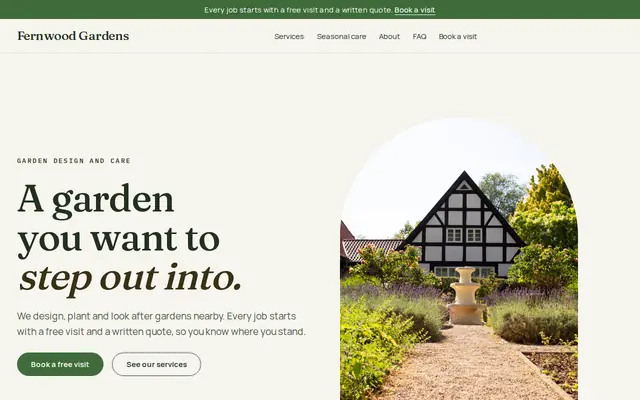
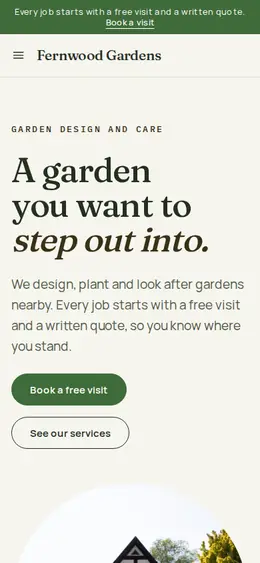
Made for Gardeners, Landscapers, Tree surgeons
Green and natural for gardeners and landscapers.
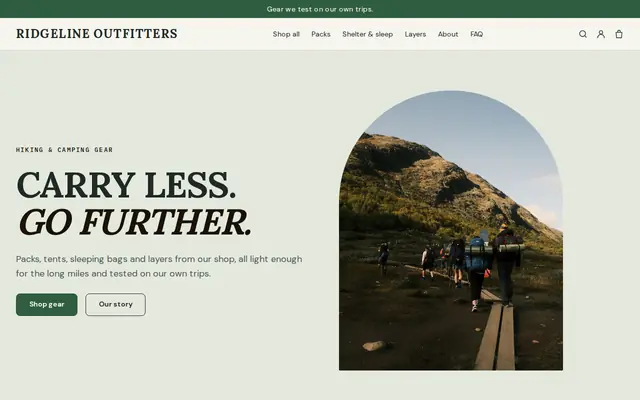
Made for Outdoor gear, Bike shops, Sports shops
Rugged and outdoorsy for adventure and sports shops.
Advice
Whatever you build it with, these are the things that turn visitors into customers.
Feed, hay, bedding, turnout, blanketing, stall cleaning, and holding horses for the farrier and vet. Boarders compare stables line by line, so list it the same way for every option.
Photograph the stalls, the arena footing, the turnout and the trails in every season, mud season included. Riders appreciate the honesty, and it saves wasted visits.
Say that helmets are required, the minimum age for lessons and rides, and any weight limit. Many US states have equine activity laws that call for a warning notice at the stable and in contracts; check yours.
Name your instructors and any certification, such as British Horse Society qualifications in the UK. In England, riding schools that hire out horses need a council license; say if you hold one.
Many trail riders have never sat on a horse. Say what to wear, how early to arrive and what happens on the ride, so beginners feel ready rather than nervous.
How it works
A sentence or two is enough: what you do, who it’s for and how people buy from you.
Cornerrr writes your pages, adds your products or services, and picks the colours, fonts and look. It takes about a minute.
Link a Stripe account, or create one in a few minutes. Your customers pay you directly.
Publish on your free Cornerrr web address, or use your own. Change anything later by asking.
Payments
Payments go through your own Stripe account, straight to you. Your customers see the methods you turn on in Stripe that work for their country and currency.
Selling in Europe or the US? United States, United Kingdom, Germany, France, Netherlands, Ireland and every country we cover.
Pricing
Build and preview for free, no card needed. Every paid plan starts with a 14-day free trial, and Cornerrr adds no transaction fees.
Build your website and try everything before you go live.
$0free
Go live and start selling.
$19a month
Most popular
For growing businesses with subscriptions and deliveries.
$49a month
For several stores and bigger catalogues.
$99a month
Questions
Yes, on the Growth plan. Each board type is a subscription that Stripe bills every month, and boarders see it in their account. They can’t switch plans themselves yet, so they ask you.
Yes. Lesson packs, camps and clinics can be products with a price, paid through your own Stripe account. Private lessons can be “price on request” if you match riders to instructors first.
Visitors send a request with the date, the number of riders and their experience. It lands in your Inbox and by email, and you reply to confirm. Nothing is booked automatically, so you can match horses to riders.
Your board options and what each includes, lessons and levels, trail rides, photos of the facilities, safety rules and how to arrange a visit. Cornerrr builds those pages from a short description of your stable.
No. You describe your business in your own words and Cornerrr builds the website. Afterwards you change things by clicking, or by asking the assistant in plain words.
Building and previewing your website is free, with no card needed. To go live and take payments, choose a plan from $19 a month. Every paid plan starts with a 14-day free trial; a card is needed to start it.
Describe your business and see your website in about a minute. It’s free until you go live.