Preview
Build your website and try everything before you go live.
$0free
Website builder for pet stores
Pet owners buy the same food every few weeks and would love it brought to the door. Cornerrr builds a pet store website with food and supplies sorted by animal, sizes and flavors as options, stock tracking, delivery rates and monthly food plans.
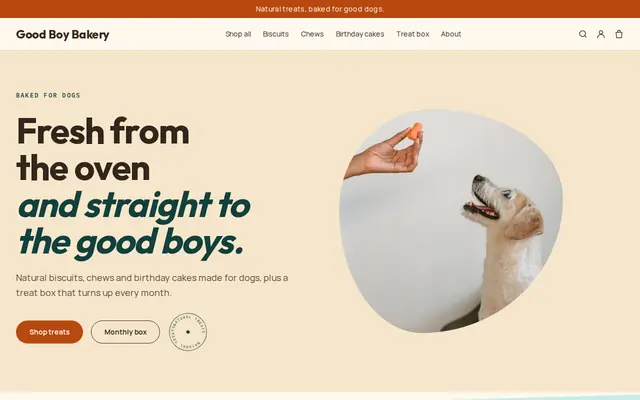
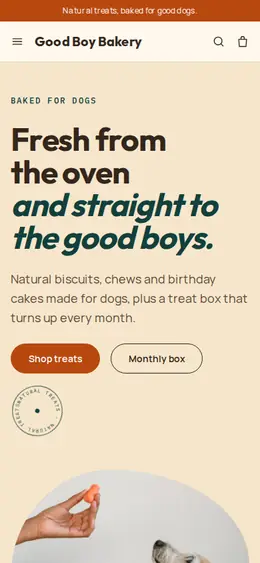
What you get
Cornerrr writes every page from your description, then you change anything by clicking or by asking.
Collections for dogs, cats, small animals, birds and fish, with food in sizes and flavors as options and stock for each, so owners find their usual bag in seconds.
The same food delivered every month or every few weeks, billed automatically by Stripe on the Growth plan. Subscribers see their plan in their account.
Fixed delivery rates you set, with an estimate of when orders arrive, and free delivery above an order amount through a free-shipping discount code.
Fish, small animals or large aquariums listed as “price on request”, so customers ask first and you talk them through care before anything changes hands.
Pets and animals
Products with photos, options, prices and stock, a cart and a Stripe checkout.
Every size and flavor has its own stock. Stock goes down when an order is paid, and checkout stops when something runs out, or keeps selling if you turn on “sell when out of stock”.
On the Growth plan, bring in hundreds of products from a spreadsheet instead of typing them in one by one.
On any paid plan, make a free-shipping code with a minimum order, start and end dates and a usage limit, for a new-customer offer or a busy month.
If you ship orders with a carrier, add the tracking number and the customer gets a shipping email with a tracking link.
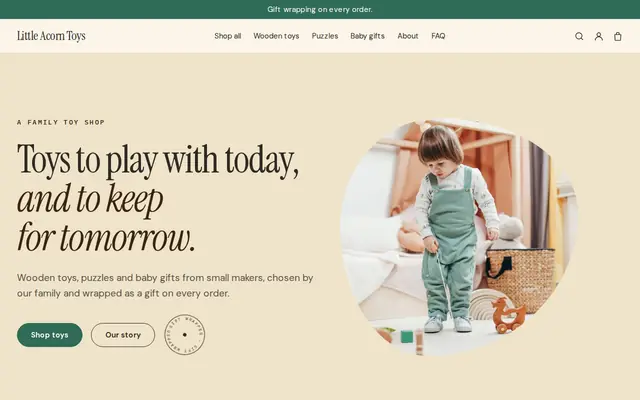
Ready-made themes
Made for Pet treats, Pet shops, Dog groomers
Fun and friendly for pet shops and pet services.
Advice
Whatever you build it with, these are the things that turn visitors into customers.
Owners shop by pet, then by type: dog, then food, then brand. Make the animal collections the first thing on the home page, before any promotions.
Most food buyers come back for the same bag. Offer a plan for regulars and say how often deliveries come, so they never have to remember to reorder.
Many places regulate selling pets: in England, for example, pet shops need a council license, and puppies and kittens can’t be sold by third parties. Keep live animals out of the checkout and talk to buyers in person.
List the towns or ZIP codes you deliver to, your delivery days and what happens if nobody is home. Heavy bags of food and litter are exactly what people want delivered.
Ingredients, life stage, grain-free or not, bag size and feeding amounts. Product pages with the same facts in the same order help owners compare without phoning.
How it works
A sentence or two is enough: what you do, who it’s for and how people buy from you.
Cornerrr writes your pages, adds your products or services, and picks the colours, fonts and look. It takes about a minute.
Link a Stripe account, or create one in a few minutes. Your customers pay you directly.
Publish on your free Cornerrr web address, or use your own. Change anything later by asking.
Payments
Payments go through your own Stripe account, straight to you. Your customers see the methods you turn on in Stripe that work for their country and currency.
Selling in Europe or the US? United States, United Kingdom, Germany, France, Netherlands, Ireland and every country we cover.
Pricing
Build and preview for free, no card needed. Every paid plan starts with a 14-day free trial, and Cornerrr adds no transaction fees.
Build your website and try everything before you go live.
$0free
Go live and start selling.
$19a month
Most popular
For growing businesses with subscriptions and deliveries.
$49a month
For several stores and bigger catalogues.
$99a month
Questions
Yes. Set fixed delivery rates for the areas you cover, with a delivery estimate, and paid orders arrive by email and in your Orders list. If you ship with a carrier, add a tracking number and the customer gets a shipping email.
Yes, on the Growth plan. A food plan is a subscription Stripe bills on the schedule you choose, and customers see it in their account. They can’t edit it themselves yet, so they contact you to change flavors.
We suggest you keep them out of the cart. List them as “price on request” so buyers ask first, and check your local rules on selling animals before you advertise any.
Yes. On the Growth plan you can import products from a spreadsheet. On any plan, Cornerrr can also make a product listing from a photo, which you then edit.
No. You describe your business in your own words and Cornerrr builds the website. Afterwards you change things by clicking, or by asking the assistant in plain words.
Building and previewing your website is free, with no card needed. To go live and take payments, choose a plan from $19 a month. Every paid plan starts with a 14-day free trial; a card is needed to start it.
Describe your business and see your website in about a minute. It’s free until you go live.