Preview
Build your website and try everything before you go live.
$0free
Website builder for tax preparers
Describe the returns you prepare and who for, and Cornerrr builds service pages, a list of what to bring, a request form for appointments and fixed-fee returns that clients can pay for online.
What you get
Cornerrr writes every page from your description, then you change anything by clicking or by asking.
W-2 returns, self-employed returns, rental property and small business returns, each with what’s included and what adds to the fee, such as extra schedules or states.
Clients send the kind of return and the week they’d like, and the request lands in your Inbox. You reply with a time, so the busy season stays in your hands.
Simple returns at a fixed fee as products clients pay for online, before or after their appointment, through your own Stripe account.
IRS and state notices are “price on request”: clients describe the letter they received, and you reply with what it will take to answer it.
Professional services
Your services with prices, or “price on request” so clients ask first, and every request in your Inbox.
Ask the assistant to add tax-season hours and the extension deadline to the home page, then ask again in May to change them back.
Clients pay by card, Apple Pay, Google Pay or the bank methods you turn on, and the money goes straight to your Stripe account, with no Cornerrr transaction fee.
Your website has page titles, a sitemap and structured data for your business, so searches for tax preparation in your town can find your pages.
Ready-made themes
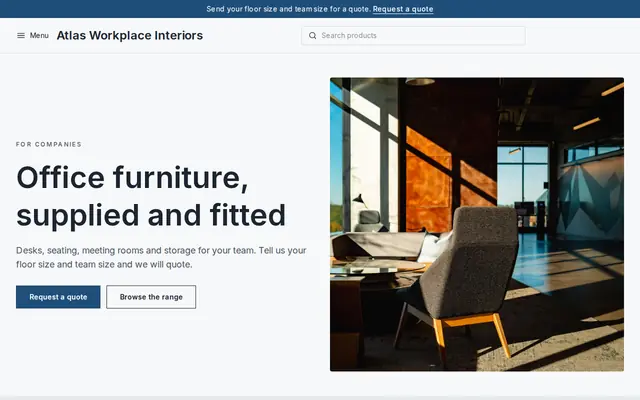
Made for Office suppliers, Fit-out companies, B2B services
Modern and confident for B2B services and fit-outs.
Advice
Whatever you build it with, these are the things that turn visitors into customers.
Say whether you’re an enrolled agent, a CPA or a preparer with a PTIN, and what that means if the IRS writes to a client. More clients check credentials before they hand over their papers.
Leave out “biggest refund” claims and anything that sounds certain. CPAs and enrolled agents are bound by Circular 230, which bars false or misleading advertising, and nobody should use the IRS logo or suggest the IRS endorses them.
Ask only for a name, contact details and the kind of return. Take W-2s, 1099s and Social Security numbers in person or through a secure portal; the IRS expects paid preparers to keep a written data security plan.
Photo ID, last year’s return, W-2s and 1099s, mortgage and tuition statements, receipts for deductions. Clients who bring everything finish in one visit.
Extensions, amended returns, IRS letters and quarterly estimates keep clients calling all year. Give each a page, so your website isn’t silent from May to January.
How it works
A sentence or two is enough: what you do, who it’s for and how people buy from you.
Cornerrr writes your pages, adds your products or services, and picks the colours, fonts and look. It takes about a minute.
Link a Stripe account, or create one in a few minutes. Your customers pay you directly.
Publish on your free Cornerrr web address, or use your own. Change anything later by asking.
Payments
Payments go through your own Stripe account, straight to you. Your customers see the methods you turn on in Stripe that work for their country and currency.
Selling in Europe or the US? United States, United Kingdom, Germany, France, Netherlands, Ireland and every country we cover.
Pricing
Build and preview for free, no card needed. Every paid plan starts with a 14-day free trial, and Cornerrr adds no transaction fees.
Build your website and try everything before you go live.
$0free
Go live and start selling.
$19a month
Most popular
For growing businesses with subscriptions and deliveries.
$49a month
For several stores and bigger catalogues.
$99a month
Questions
Don’t take tax documents or Social Security numbers through a website form. Use a secure portal or in-person drop-off, and keep your Cornerrr request form to names, contact details and the kind of return.
In the US, anyone paid to prepare or help prepare federal returns needs a PTIN from the IRS. A few states, including California, Oregon, Maryland and New York, add their own registration or licensing, so check yours.
A starting fee for each kind of return and what raises it, such as self-employment income, rental property or extra states. On Cornerrr, simple returns can be paid online at a fixed fee and the rest can be “price on request”.
No. You describe your business in your own words and Cornerrr builds the website. Afterwards you change things by clicking, or by asking the assistant in plain words.
Building and previewing your website is free, with no card needed. To go live and take payments, choose a plan from $19 a month. Every paid plan starts with a 14-day free trial; a card is needed to start it.
Describe your business and see your website in about a minute. It’s free until you go live.