Preview
Build your website and try everything before you go live.
$0free
Online store for 3D prints
Describe what you print and Cornerrr builds the shop: products with materials and colors as options, stock for what’s on the shelf and made to order for the rest, custom requests in your Inbox, and STL files as downloads if you design your own models.

Step by step
Many models on file-sharing sites are licensed for non-commercial use only. Print your own designs, or models whose license, or a paid commercial license from the designer, allows selling prints.
One product per design with material and color as options, each with its own price and stock. PETG can cost more than PLA, and the price can say so.
For prints you make after the order, switch on “sell when out of stock” and put the lead time in the description. Keep popular items printed ahead with real stock counts.
Show the actual print in daylight, next to something for scale, with a close-up of the surface. Honest layer lines in the photo prevent “not as pictured” complaints.
Mark custom printing “price on request”. Customers describe the part, the size and the material they need, email you the file, and you reply with a quote.
Zip your STL or 3MF files with recommended print settings and sell them as downloads beside the printed versions. Say whether buyers may sell prints of them.
Hobbies, outdoors and collecting
Products with photos, options, prices and stock, a cart and a Stripe checkout.
Built in
Turn on “sell when out of stock” for made-to-order items and keep stock counts for the rest. Every paid order arrives by email and in your Orders list with the exact color and material.
Requests arrive by email and in your Inbox with the details your form asked for, so you can quote each job by email.
Sell a printed planter and its STL file side by side. Files go to buyers after payment and stay in their account, on any paid plan.
Upload a photo and Cornerrr drafts the listing, alt text and tags. You add the dimensions, material and lead time it can’t see.
Ready-made themes
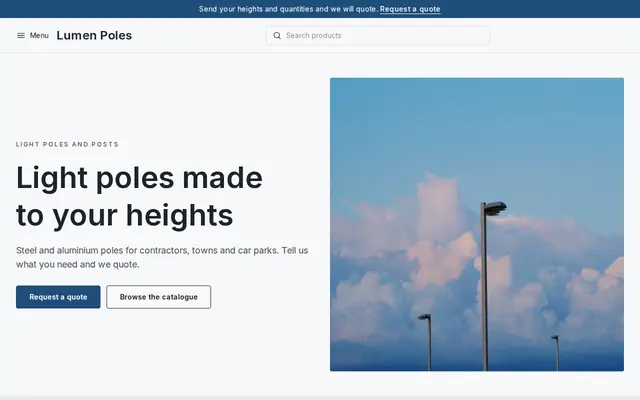
Made for Manufacturers, Suppliers, Contractors
Crisp and industrial for suppliers who sell on quotes.
Before you start
Don’t call prints food safe unless you can back it up: layer lines trap bacteria and many filaments aren’t certified for food contact. Prints made for children count as toys, with safety rules in the EU, UK and US.
Prints of characters, logos and franchise designs need the owner’s permission to sell, even when the 3D file was free to download.
Carriers and some countries restrict realistic replica weapons. Check the rules before you list props, and never sell printed firearm parts.
General information to help you get started, not legal advice. Rules differ by country, state and product, so check the ones that apply to you.
How it works
A sentence or two is enough: what you do, who it’s for and how people buy from you.
Cornerrr writes your pages, adds your products or services, and picks the colours, fonts and look. It takes about a minute.
Link a Stripe account, or create one in a few minutes. Your customers pay you directly.
Publish on your free Cornerrr web address, or use your own. Change anything later by asking.
Payments
Payments go through your own Stripe account, straight to you. Your customers see the methods you turn on in Stripe that work for their country and currency.
Selling in Europe or the US? United States, United Kingdom, Germany, France, Netherlands, Ireland and every country we cover.
Pricing
Build and preview for free, no card needed. Every paid plan starts with a 14-day free trial, and Cornerrr adds no transaction fees.
Build your website and try everything before you go live.
$0free
Go live and start selling.
$19a month
Most popular
For growing businesses with subscriptions and deliveries.
$49a month
For several stores and bigger catalogues.
$99a month
Questions
Only if the model’s license allows commercial use or you’ve bought a commercial license from its designer. Many popular files are for personal use only, so check each one.
Add up filament or resin, print time, failed prints, support removal and finishing, packaging and your own time. Prices based on material alone rarely cover the hours a print farm runs.
Yes, through a request: mark custom printing “price on request”, customers describe the job and email you the file, and you quote by email.
Yes, as downloads on any paid plan. Zip the STL or 3MF files with print settings; buyers get them after payment and keep them in their account. Write the license on the page.
No. You describe your business in your own words and Cornerrr builds the website. Afterwards you change things by clicking, or by asking the assistant in plain words.
Building and previewing your website is free, with no card needed. To go live and take payments, choose a plan from $19 a month. Every paid plan starts with a 14-day free trial; a card is needed to start it.
Describe what you sell and see your shop in about a minute. It’s free until you go live.