Preview
Build your website and try everything before you go live.
$0free
Website builder for summer camps and day camps
Describe your camp, its weeks and its age groups, and Cornerrr builds a summer camp website: each session as an option with its own places, camp T-shirts in every size, checkout questions for the camper’s name and age, and pages for the day’s schedule and what to pack.
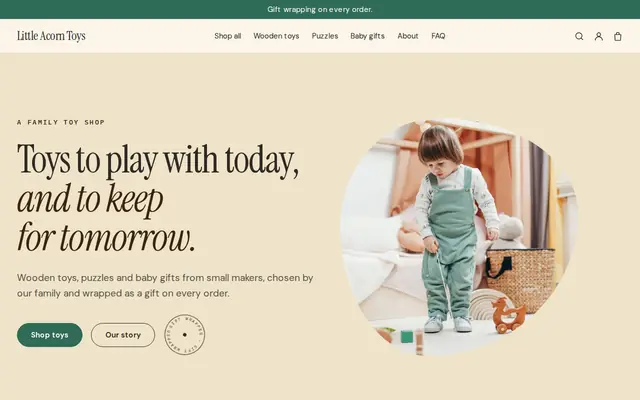
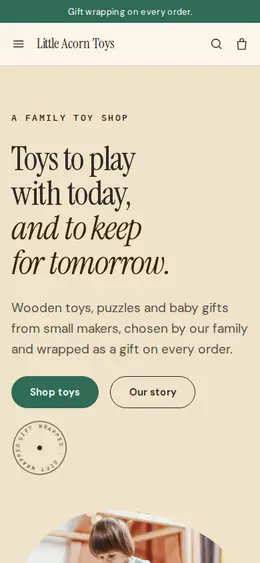
What you get
Cornerrr writes every page from your description, then you change anything by clicking or by asking.
Camp registration is a product and each week is an option, with stock set to the places you have. Every paid registration takes one away, the page shows “Only 2 left” as a week fills and “Sold out” when it is full.
Add the age group as a second option, and every week and age group has its own count. The 6 to 8 group in week three can close while the 12 to 14 group in the same week stays open.
Before care, after care, a seat on the bus or the lunch plan are separate products a parent adds to the same order as the week.
T-shirts, caps and water bottles with sizes and stock. Cornerrr doesn’t print or send anything: the camp orders from its own printer and hands shirts out on the first morning, or ships them at the rates it sets.
Schools, clubs and organizations
Products with photos, options, prices and stock, a cart and a Stripe checkout.
Add up to three questions at checkout: the camper’s name as text, their age as a number and a T-shirt size as a dropdown. They apply to every order, and the answers are saved with the order and printed on its packing slip.
Any word on the storefront can be changed in Settings → Language, so “Add to cart” can read “Register” and parents know they are signing a child up, not shopping.
On any paid plan, make a discount code for a second child or for families who register before a date. Each code can have a start date, an end date and a limit on how often it is used.
When the season ends, the camp can cancel its plan. The website is then paused and visitors see “temporarily unavailable”, but the products, orders, customers and pages are all kept. Choosing a plan again reopens it.
Ready-made themes
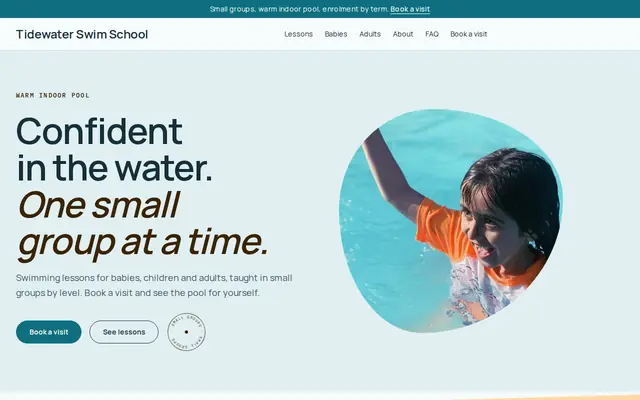
Made for Swim schools, Music lessons, Kids’ clubs
Bright and cheerful for lessons, schools and clubs.
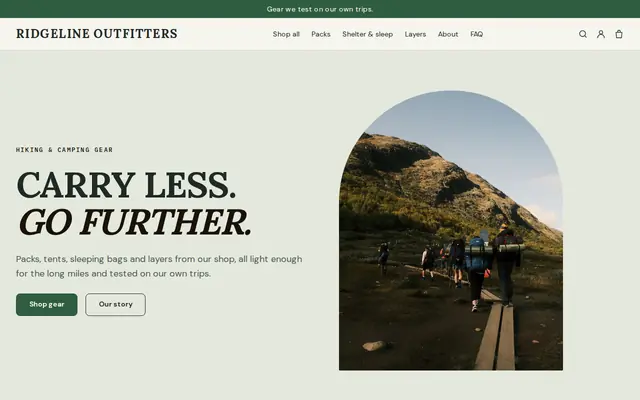
Made for Outdoor gear, Bike shops, Sports shops
Rugged and outdoorsy for adventure and sports shops.
Advice
Whatever you build it with, these are the things that make people enroll, join and order.
Many parents plan the summer in winter. Put the opening day of registration on the home page well ahead, together with the weeks and ages for the coming summer.
Drop-off, the morning activity, lunch, swimming, pick-up. A parent comparing camps wants to picture the day, and a first-time camper wants to know when lunch is.
Swimsuit, towel, closed-toe shoes, sunscreen, a labeled water bottle, and what to leave at home. Say whether lunch and snacks are provided, and your rule on nuts.
Allergies, medications and emergency contacts belong in your own health form, handled the way your state’s rules expect. At checkout, ask only for the camper’s name, age and shirt size.
Give the counselors’ ages and training, their background checks, how many campers each one looks after and any license or accreditation the camp holds. Check what your state requires of day camps before you describe it.
Decide what a family gets back when a child misses a week through illness, or when weather closes the camp for a day. Publish it before registration opens, so the answer is settled before anyone needs it.
How it works
A sentence or two is enough: who you are, what you sell and who buys it.
Cornerrr writes your pages, adds your classes, memberships or products, and picks the colors, fonts and look. It takes about a minute.
Link your own Stripe account, or create one in a few minutes. Payments go straight to it, and Cornerrr adds no fee per sale.
Publish on your free Cornerrr web address, or use your own. Change anything later by asking.
Payments
Payments go through your own Stripe account, straight to you. Your customers see the methods you turn on in Stripe that work for their country and currency.
Selling in Europe or the US? United States, United Kingdom, Germany, France, Netherlands, Ireland and every country we cover.
Pricing
Build and preview for free, no card needed. Every paid plan starts with a 14-day free trial, and Cornerrr adds no transaction fees.
Build your website and try everything before you go live.
$0free
Go live and start selling.
$19a month
Most popular
For growing businesses with subscriptions and deliveries.
$49a month
For several stores and bigger catalogs.
$99a month
Questions
Yes. Registration is a product and each week is an option with its own price and its own number of places. A parent picks the week, pays at checkout, and the place is taken off the count when the order is paid.
That week shows “Sold out” and checkout stops for it, while the other weeks stay open. Cornerrr keeps no list of families who missed out, so ask them to email you, and raise the stock if you add a group.
Checkout asks your questions once per order, so the clear way is one order for each camper, with that child’s name and age. A sibling discount code can take a fixed amount or a percentage off the second order.
Not through Cornerrr. There are no forms with file uploads, and checkout questions are short answers meant for a name, an age or a size. Send health and permission forms the way you do now, and don’t ask for medical details at checkout.
It can keep the website live for next year’s dates, or cancel the plan. A canceled website is paused: visitors see “temporarily unavailable”, nothing is deleted, and choosing a plan again reopens it with every product and order in place.
No. You describe your organization in your own words and Cornerrr builds the website. Afterwards you change things by clicking, or by asking the assistant in plain words.
Building and previewing your website is free, with no card needed. To go live and take payments, choose a plan from $19 a month. Every paid plan starts with a 14-day free trial; a card is needed to start it. Cornerrr adds no fee per sale.
Describe your organization and see your website in about a minute. It’s free until you go live.