Preview
Build your website and try everything before you go live.
$0free
Website builder for associations and societies
Describe your association, who its members are and what the year holds, and Cornerrr builds your association website: annual dues as a yearly subscription, conference and workshop registration, publications to buy or download, and pages for your board and bylaws. Payments go to your own Stripe account.
What you get
Cornerrr writes every page from your description, then you change anything by clicking or by asking.
Dues as a yearly subscription on the Growth plan, with one product per member category: full, student, retired or organizational. Stripe charges each member again a year after the day they joined, so the treasurer isn’t waiting on checks every January.
Each event is a product, with ticket types such as full conference, single day or student as options. Stock is the number of places: the page shows “Only 3 left” as the room fills and then “Sold out”, and checkout stops there.
Handbooks, back issues of the journal and conference proceedings in print with stock, or as PDF downloads on any paid plan. A buyer gets the file after payment and finds it again in their account.
Exhibitor tables and sponsor packages as price on request. A company fills in the form, the request lands in your Inbox and by email, and you reply with the details.
Schools, clubs and organizations
Plans billed every week or month by Stripe, with one-off products and extras alongside.
Add up to three questions to checkout, such as a member number or the name to print on a conference badge. The answers are saved with the order. The questions are asked on every order on the website, so make the member number optional.
The website doesn’t check who is a member, so a member rate works as a discount code you give to members, with an end date and a usage limit. An early registration rate can be a code too.
Members pay by card, Apple Pay or Google Pay, and in the US by ACH Direct Debit if you turn it on in Stripe. Cornerrr adds no fee per sale, so only Stripe’s own processing fees come out of each payment.
On the Growth plan, invite the treasurer, the events chair and the journal editor as team members, so the website doesn’t hang on one volunteer’s login. When the board changes, the next secretary finds the same orders and customer list.
Ready-made themes
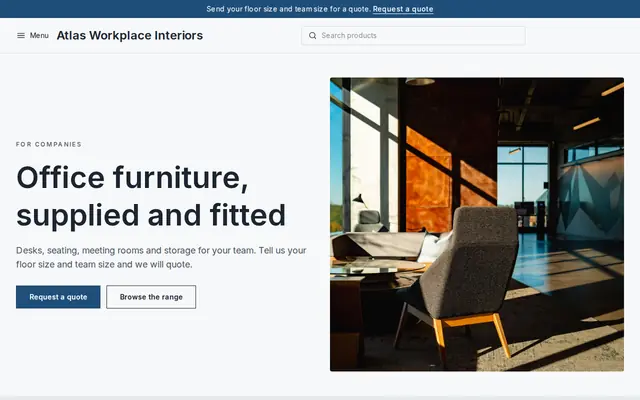
Made for Office suppliers, Fit-out companies, B2B services
Modern and confident for B2B services and fit-outs.
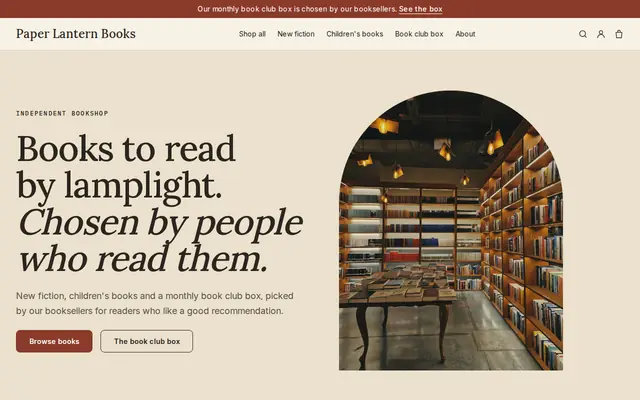
Made for Bookshops, Stationers, Record shops
Bookish and characterful for bookshops and stationers.
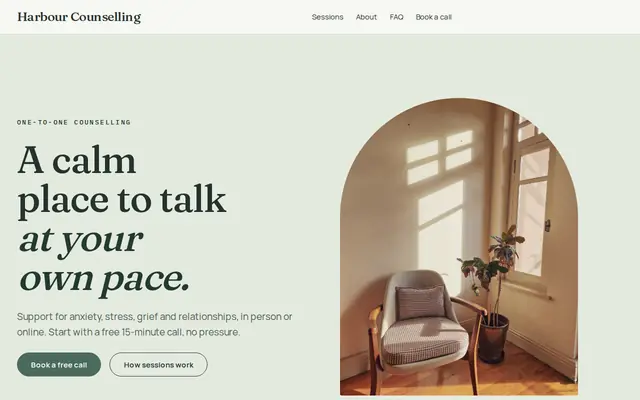
Made for Counsellors, Therapists, Life coaches
Soft and quiet for counsellors, coaches and therapists.
Advice
Whatever you build it with, these are the things that make people enroll, join and order.
List what each member category pays for: the journal, the conference rate, voting rights, a listing in your printed directory. State whether the membership year runs from January or from the join date, because it is the first thing a renewing member asks.
Dates, venue, the program as it stands, what the fee includes, the hotel block and your cancellation terms. Update that one page as speakers confirm rather than posting changes in several places.
If a workshop counts toward continuing education hours, name the accrediting body and the number of hours, and say how attendees get their certificate. Check the wording with that body before you publish it.
Name the board members, their roles and their terms, and give one address that reaches the membership secretary. Prospective members and sponsors look for real people before they pay.
Bylaws, the code of ethics and annual meeting minutes belong on a page linked from the footer. It saves the secretary from answering the same email before every annual meeting.
How it works
A sentence or two is enough: who you are, what you sell and who buys it.
Cornerrr writes your pages, adds your classes, memberships or products, and picks the colors, fonts and look. It takes about a minute.
Link your own Stripe account, or create one in a few minutes. Payments go straight to it, and Cornerrr adds no fee per sale.
Publish on your free Cornerrr web address, or use your own. Change anything later by asking.
Payments
Payments go through your own Stripe account, straight to you. Your customers see the methods you turn on in Stripe that work for their country and currency.
Selling in Europe or the US? United States, United Kingdom, Germany, France, Netherlands, Ireland and every country we cover.
Pricing
Build and preview for free, no card needed. Every paid plan starts with a 14-day free trial, and Cornerrr adds no transaction fees.
Build your website and try everything before you go live.
$0free
Go live and start selling.
$19a month
Most popular
For growing businesses with subscriptions and deliveries.
$49a month
For several stores and bigger catalogs.
$99a month
Questions
Yes, on the Growth plan. Each member category is a subscription that Stripe bills once a year, starting on the day the member joins. Members see their subscription in their account, and changes or cancellations go through the association for now.
No. There are no pages that only members can open, no member directory and no member portal. A member signs in with an emailed code and sees their own subscription, orders and downloads. If you need a private directory or a forum, keep it in a separate tool and link to it.
The conference is a product and its stock is the number of places, so registration closes by itself when the room is full. There are no seat maps, QR tickets or check-in. You work from the Orders list, which has each registrant’s name, email and answers.
Yes, with a discount code. Give members a code that takes the member reduction off the full price, and set an end date or a usage limit. The website can’t tell on its own who is a member, so anyone holding the code can use it.
Yes, on any paid plan. Add the issue as a digital download and the buyer gets the file after payment, with a copy in their account. Printed issues can sit beside it as products with stock, and you mail them yourself at the fixed shipping rates you set.
No. You describe your organization in your own words and Cornerrr builds the website. Afterwards you change things by clicking, or by asking the assistant in plain words.
Building and previewing your website is free, with no card needed. To go live and take payments, choose a plan from $19 a month. Every paid plan starts with a 14-day free trial; a card is needed to start it. Cornerrr adds no fee per sale.
Describe your organization and see your website in about a minute. It’s free until you go live.