Preview
Build your website and try everything before you go live.
$0free
Website builder for nonprofits and charities
Describe your nonprofit in a sentence or two and Cornerrr builds a website with a shop: the merchandise you stock, your books and reports, places at events and workshops, and supporter memberships billed monthly or yearly. Payments go to your own Stripe account. Donation forms aren’t part of it.
What you get
Cornerrr writes every page from your description, then you change anything by clicking or by asking.
T-shirts, tote bags, mugs and stickers as products, with sizes and colors as options and a stock count for each. You order from your own printer and send or hand out the orders yourself. Cornerrr prints and ships nothing.
Printed books and annual reports go out at the shipping rates you set. A PDF guide, a toolkit or a recording can be a digital download on any paid plan, delivered after payment and kept in the buyer’s account.
Each event is a product, and its stock is the number of places. The page shows when only a few are left, then “Sold out”, and checkout stops. There are no seat maps, QR tickets or check-in at the door: you work from the names in Orders.
A “Friend” or “Patron” level billed every month or year as a subscription on the Growth plan. Stripe charges the card each period, and supporters see the membership in their account. There are no pages that only members can open and no member directory.
Schools, clubs and organizations
Products with photos, options, prices and stock, a cart and a Stripe checkout.
Sales are paid into the nonprofit’s own Stripe account by card, Apple Pay or Google Pay. Cornerrr adds no fee per sale, and Stripe’s own processing fees apply. Your treasurer sees every payment in Stripe and every order in Cornerrr.
Ask for an attendee’s name, a membership number or the chapter the buyer belongs to. Each question is a short text, a number or a dropdown, required or optional. They apply to the whole shop, and the answers are saved with the order and printed on its packing slip.
Donations, donor receipts and pay-what-you-want amounts aren’t something Cornerrr handles. If raising money is your main need, use a fundraising tool built for it and link to it from your website. Cornerrr is for the things your nonprofit sells.
On the Growth plan, invite team members, so the shop doesn’t depend on one person’s sign-in. Whoever looks after it changes words by clicking or asks the assistant in plain language, for example to add next month’s workshop or rewrite the membership page.
Ready-made themes
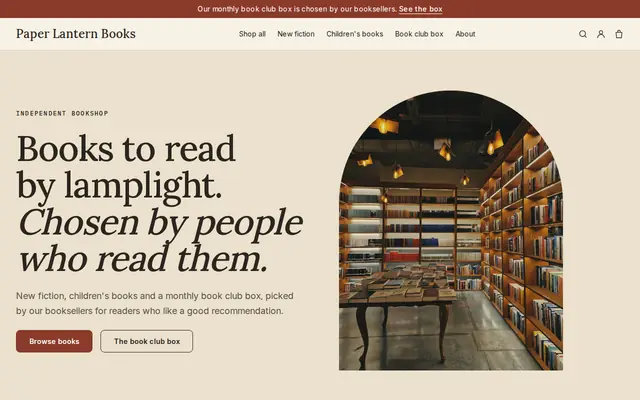
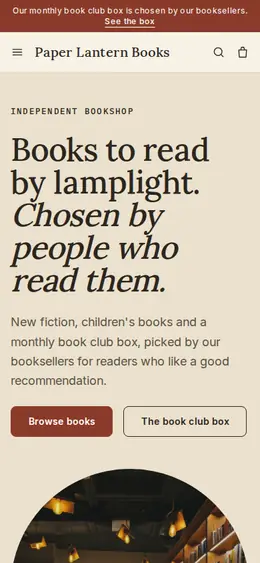
Made for Bookshops, Stationers, Record shops
Bookish and characterful for bookshops and stationers.
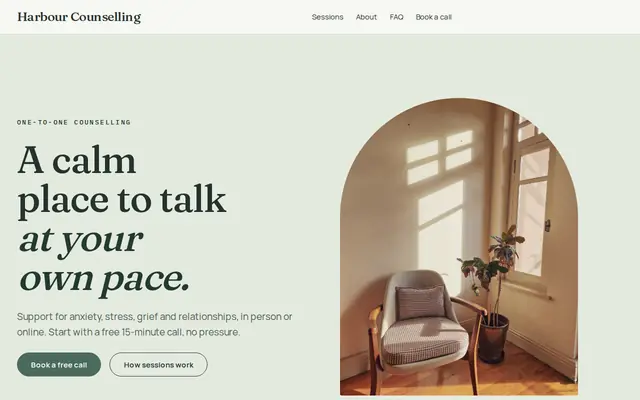
Made for Counsellors, Therapists, Life coaches
Soft and quiet for counsellors, coaches and therapists.
Advice
Whatever you build it with, these are the things that make people enroll, join and order.
Next to each product, say in one line what the money is used for, such as seedlings for the school garden or printing the next report. Keep it factual and current. People buy the tote bag because of the work behind it.
A T-shirt sale or a membership with benefits is not the same as a gift, in your books or on a supporter’s tax return. Don’t call a purchase tax-deductible on the website unless your accountant has confirmed it for the place where you are registered.
Start with one or two designs and a short run from a local printer. Set the stock to what is on the shelf, so a size that runs out stops selling instead of taking orders you can’t fill.
Your registration or charity number, the names of your board, last year’s annual report and a short page on how you are funded. People check these before they pay a group they have only just heard of.
Say who answers questions about orders and how quickly. For a group run by volunteers, “we reply within three working days” is honest and saves a second email.
Limit checkout questions to things like a name or a shirt size. Health details, or anything about the people you serve, belong in a private conversation and not in an order record that several volunteers can read.
How it works
A sentence or two is enough: who you are, what you sell and who buys it.
Cornerrr writes your pages, adds your classes, memberships or products, and picks the colors, fonts and look. It takes about a minute.
Link your own Stripe account, or create one in a few minutes. Payments go straight to it, and Cornerrr adds no fee per sale.
Publish on your free Cornerrr web address, or use your own. Change anything later by asking.
Payments
Payments go through your own Stripe account, straight to you. Your customers see the methods you turn on in Stripe that work for their country and currency.
Selling in Europe or the US? United States, United Kingdom, Germany, France, Netherlands, Ireland and every country we cover.
Pricing
Build and preview for free, no card needed. Every paid plan starts with a 14-day free trial, and Cornerrr adds no transaction fees.
Build your website and try everything before you go live.
$0free
Go live and start selling.
$19a month
Most popular
For growing businesses with subscriptions and deliveries.
$49a month
For several stores and bigger catalogs.
$99a month
Questions
It doesn’t. Donations, fundraising pages, donor receipts and pay-what-you-want amounts aren’t something Cornerrr handles. A nonprofit whose main need is fundraising should use a fundraising tool and link to it from its website. Cornerrr fits a nonprofit that also sells things: merchandise, books, event places and memberships.
Yes. Cornerrr adds no fee per sale and payments go to the nonprofit’s own Stripe account, where Stripe’s own processing fees apply. Going live needs a paid Cornerrr plan, so compare a flat plan with a tool that keeps a share of each order for the amount you expect to sell.
Yes, on the Growth plan. Each membership level is a subscription that Stripe bills monthly or yearly, and supporters see it in their account. To change or cancel one they contact you, because they can’t do it themselves yet. There is no member directory and nothing on the website is locked to members.
List the event as a product and set its stock to the number of places. Each paid order takes one away, and checkout stops when the event is full. The buyer’s name, email and answers are in Orders. For numbered seats, QR tickets or check-in at the door, use a ticketing tool instead.
No. There is no print-on-demand: you order from your own printer, hold the stock and send or hand out each order. You set fixed shipping rates on any paid plan and add a tracking number to the order when a parcel goes out.
No. You describe your organization in your own words and Cornerrr builds the website. Afterwards you change things by clicking, or by asking the assistant in plain words.
Building and previewing your website is free, with no card needed. To go live and take payments, choose a plan from $19 a month. Every paid plan starts with a 14-day free trial; a card is needed to start it. Cornerrr adds no fee per sale.
Describe your organization and see your website in about a minute. It’s free until you go live.