Preview
Build your website and try everything before you go live.
$0free
Website builder for real estate agents
Tell Cornerrr where you sell and who you help, and it builds pages for buyers and sellers, neighborhood guides, featured homes you add yourself, and request forms for showings and home valuations.
What you get
Cornerrr writes every page from your description, then you change anything by clicking or by asking.
Add the homes you want to show with photos, beds, baths and a description, each with a showing request instead of a cart. Cornerrr doesn’t pull MLS listings, so you pick what to feature.
Sellers send their address, the kind of home and when they hope to move. The request lands in your Inbox, and you reply with a market analysis.
A page for each area you know: commute times, parks, shops and the kinds of homes there. Relocating buyers read these weeks before they call anyone.
Step-by-step pages for first-time buyers and for sellers getting a home ready, so people learn the process from you before they choose an agent.
Professional services
Your services with prices, or “price on request” so clients ask first, and every request in your Inbox.
Showing and valuation requests arrive by email and in your Inbox with the home or address named. Ask the assistant which sellers you haven’t called back.
On the Growth plan, post monthly market notes and open-house news. Each post gets its own page title and description for search engines.
Add your brokerage name, license number and fair housing notice to the footer, and edit them by clicking if anything changes.
Ready-made themes
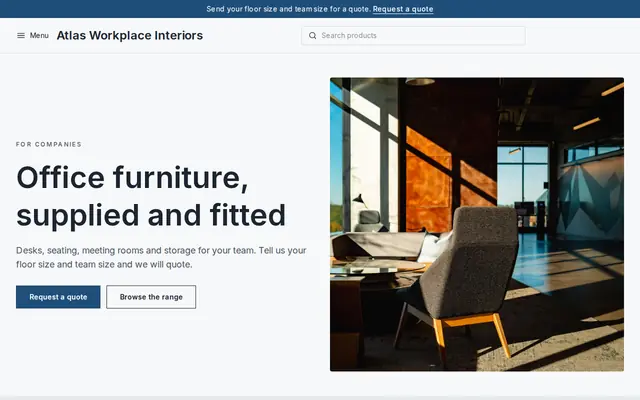
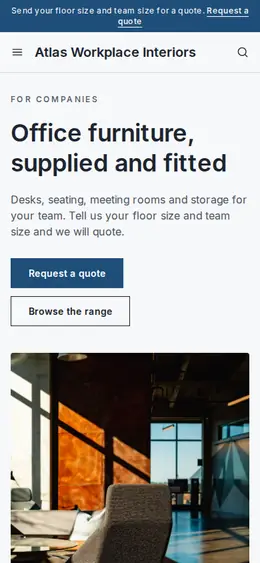
Made for Office suppliers, Fit-out companies, B2B services
Modern and confident for B2B services and fit-outs.
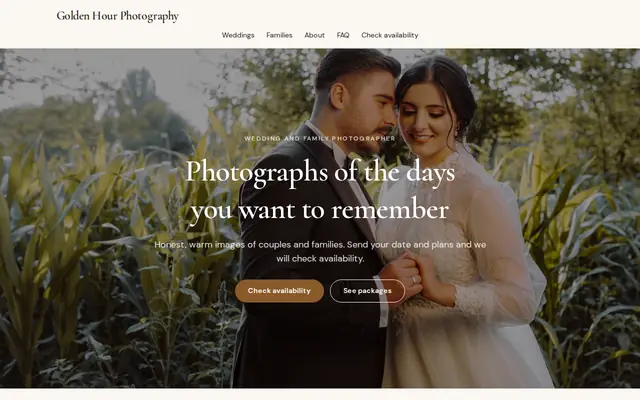
Made for Photographers, Videographers, Event planners
Editorial and airy for photographers and creatives who take bookings.
Advice
Whatever you build it with, these are the things that turn visitors into customers.
Most US states require agents’ advertising, websites included, to show the brokerage name, and many ask for a license number too. Check your state real estate commission’s rules and your brokerage’s policy.
Write about commutes, parks, home styles and shops. The Fair Housing Act bars ads that show a preference based on race, religion, familial status and other protected traits, so skip lines like “perfect for young families”.
Mark homes as sold or take them down soon after closing. Stale listings make you look inactive, and your MLS may have rules on advertising homes that are no longer for sale.
Ask buyers for their timeline, area and the kind of home they want, not their income, credit score or bank details. Pre-approval goes through their lender.
People search “best Raleigh neighborhoods for commuters” or “moving to Cary”. A page that answers one of those well can bring people to you months before they buy.
Estate agents in the UK must belong to a government-approved redress scheme, such as The Property Ombudsman, and most show it on their website.
How it works
A sentence or two is enough: what you do, who it’s for and how people buy from you.
Cornerrr writes your pages, adds your products or services, and picks the colours, fonts and look. It takes about a minute.
Link a Stripe account, or create one in a few minutes. Your customers pay you directly.
Publish on your free Cornerrr web address, or use your own. Change anything later by asking.
Payments
Payments go through your own Stripe account, straight to you. Your customers see the methods you turn on in Stripe that work for their country and currency.
Selling in Europe or the US? United States, United Kingdom, Germany, France, Netherlands, Ireland and every country we cover.
Pricing
Build and preview for free, no card needed. Every paid plan starts with a 14-day free trial, and Cornerrr adds no transaction fees.
Build your website and try everything before you go live.
$0free
Go live and start selling.
$19a month
Most popular
For growing businesses with subscriptions and deliveries.
$49a month
For several stores and bigger catalogues.
$99a month
Questions
Not automatically: Cornerrr doesn’t connect to MLS or IDX feeds. Add the homes you want to feature yourself, with photos and a showing request, and link to your brokerage’s search for the full market.
Put a home valuation request on the home page and the Sellers page, ask only for the address and timing, and answer fast. Each request lands in your Inbox and by email.
It depends on your state, but commonly the brokerage name, often your license number and a fair housing statement. Check your state real estate commission’s advertising rules and your brokerage’s policy.
Yes. The blog on the Growth plan suits monthly market notes, and any page can be a neighborhood guide. Stick to facts and sources, and avoid predictions that sound certain.
No. You describe your business in your own words and Cornerrr builds the website. Afterwards you change things by clicking, or by asking the assistant in plain words.
Building and previewing your website is free, with no card needed. To go live and take payments, choose a plan from $19 a month. Every paid plan starts with a 14-day free trial; a card is needed to start it.
Describe your business and see your website in about a minute. It’s free until you go live.