Preview
Build your website and try everything before you go live.
$0free
Website builder for nursing homes
Hospital discharge planners, families in a hurry and visitors all need something different from your website. Describe your home and Cornerrr builds pages for each: rehab, long-term care, admissions, visiting and careers, with requests sent to your Inbox.
What you get
Cornerrr writes every page from your description, then you change anything by clicking or by asking.
Explain the therapies you offer (physical, occupational, speech), how often people usually have them and how you plan the move home. Families often choose a rehab stay in a day or two, from a hospital room.
Describe nursing care around the clock, help with daily living, meals, activities and how you involve families in care planning, with photos of rooms, the dining room and outdoor spaces.
A short form for families and case managers: name, phone, email, who the stay is for and how soon. Requests reach your Inbox and the admissions email at once, and your team calls back.
A careers page with open roles, shifts and what it’s like to work with you, plus a short interest form. Your website is often the first place a nurse looks before applying.
Care and health
Your services with prices, or “price on request” so clients ask first, and every request in your Inbox.
Admissions requests arrive in your Inbox and by email the moment they’re sent, so your team can call back while the family is still deciding.
Menus lead discharge planners to admissions, families to care and visiting, and job seekers to careers. Cornerrr builds the first version from your description, and you rename anything.
Add a page for your latest ratings and inspection results and update it by clicking on the words, so your website matches what families find elsewhere.
Cornerrr writes in calm, clear words. Ask the assistant to explain short-term rehab for someone who has never heard the term, or to turn your admissions page into a simple checklist.
Ready-made themes
Made for Assisted living, Care homes, Home care
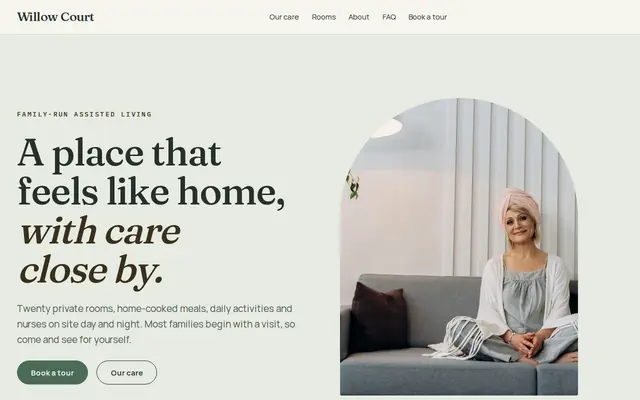
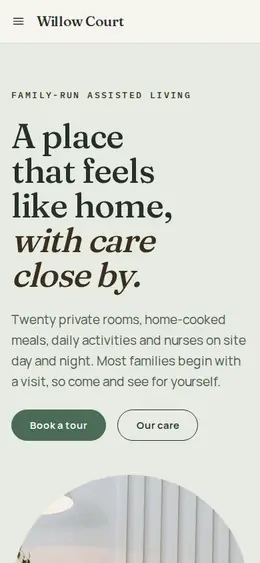
Calm and reassuring, with tour requests front and centre.
Made for Dentists, Clinics, Opticians
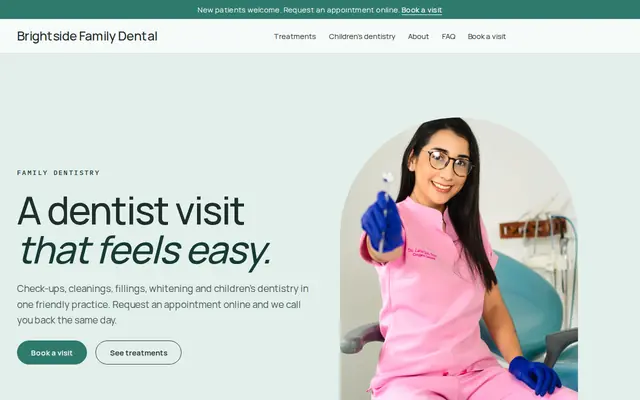
Clean and trustworthy for clinics that take appointment requests.
Advice
Whatever you build it with, these are the things that turn visitors into customers.
In the US, families look up nursing homes on Medicare’s Care Compare. Mention your rating, link to your page there, and if a past inspection found problems, say what you changed. Explaining first beats being found out.
Care homes registered with the Care Quality Commission must display their latest rating on their website as well as in the home. Put it on the home page, where nobody has to search for it.
Medicare can cover a limited skilled stay after a qualifying hospital stay, while long-term care is usually paid privately or by Medicaid. List what you accept, including the Medicare Advantage plans you work with, and suggest families check their own coverage.
What to bring, which papers you need and what happens on the first day. A plain checklist page helps a family that’s packing a bag on short notice, and it saves your admissions team the same call every day.
Visiting hours, parking, where to sign in, whether children and pets can visit. Update the page the same day anything changes, so nobody drives an hour to a surprise.
How it works
A sentence or two is enough: what you do, who it’s for and how people buy from you.
Cornerrr writes your pages, adds your products or services, and picks the colours, fonts and look. It takes about a minute.
Link a Stripe account, or create one in a few minutes. Your customers pay you directly.
Publish on your free Cornerrr web address, or use your own. Change anything later by asking.
Payments
Payments go through your own Stripe account, straight to you. Your customers see the methods you turn on in Stripe that work for their country and currency.
Selling in Europe or the US? United States, United Kingdom, Germany, France, Netherlands, Ireland and every country we cover.
Pricing
Build and preview for free, no card needed. Every paid plan starts with a 14-day free trial, and Cornerrr adds no transaction fees.
Build your website and try everything before you go live.
$0free
Go live and start selling.
$19a month
Most popular
For growing businesses with subscriptions and deliveries.
$49a month
For several stores and bigger catalogues.
$99a month
Questions
The services you offer, the insurance you accept, how quickly admissions replies and a direct phone number. Put all four on one admissions page so a planner can make a referral in a minute.
Ask only for contact details and a short note on the form, and collect medical records through your normal admissions process. On Cornerrr, each request lands in your Inbox and by email so your team can call back quickly.
Yes. Add a careers page with each role, its shifts and benefits, and a short interest form. Applications arrive in your Inbox, and you reply by email to arrange an interview.
Yes. Nursing home visitors care most about nursing care, rehab therapies, insurance and ratings, while assisted living families look at daily life and independence. Write for the decision your visitors are making.
No. You describe your business in your own words and Cornerrr builds the website. Afterwards you change things by clicking, or by asking the assistant in plain words.
Building and previewing your website is free, with no card needed. To go live and take payments, choose a plan from $19 a month. Every paid plan starts with a 14-day free trial; a card is needed to start it.
Describe your business and see your website in about a minute. It’s free until you go live.