Preview
Build your website and try everything before you go live.
$0free
Website builder for senior living communities
Tell Cornerrr about your community, the ways people live there and what’s on site, and it builds the pages: living options, floor plans, dining, events and a visit request form. Future residents and their families find what they need without a sales call.
What you get
Cornerrr writes every page from your description, then you change anything by clicking or by asking.
Independent living, assisted living and memory care each get a page that says who it suits, what’s included and how a move between them works if needs change. Most visitors need only one, so let them go straight to it.
Studios, one- and two-bedroom apartments or cottages, each with a floor plan, the size, the view and what’s included, marked “price on request” so people ask about current availability.
Invite people to visit for a meal and a look around. The request form asks who’s coming, a preferred day and anything that would make the visit easier, and the request lands in your Inbox.
Concerts, talks and open houses as pages with a date and a short form, so neighbors and future residents can say they’re coming. A good event is often someone’s first visit.
Care and health
Your services with prices, or “price on request” so clients ask first, and every request in your Inbox.
Menus and pages keep each living option, the dining room and the events in their own place, so a resident’s son and a 78-year-old planning ahead both find their way in a couple of clicks.
Visit, event and general requests arrive in your Inbox and by email, with the person’s note, so your move-in team can reply the same day.
Every Cornerrr website works on phones and tablets. Ask the assistant for plainer words, shorter pages or a calmer layout for readers who prefer them.
Edit the events page, this week’s dining menu or a floor plan’s availability note by clicking on the words, or ask the assistant to update them for you.
Ready-made themes
Made for Assisted living, Care homes, Home care
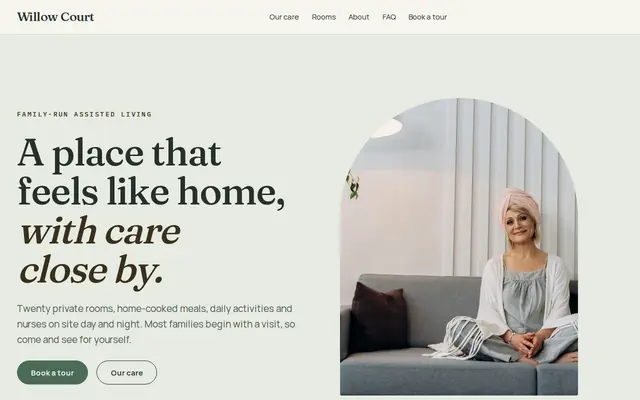
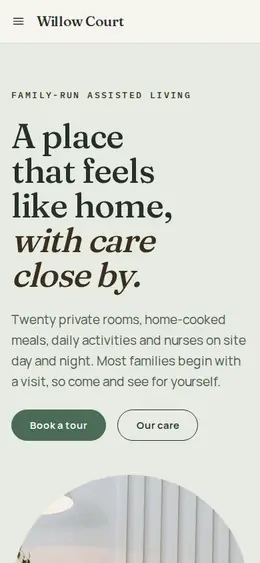
Calm and reassuring, with tour requests front and centre.
Made for Photographers, Videographers, Event planners
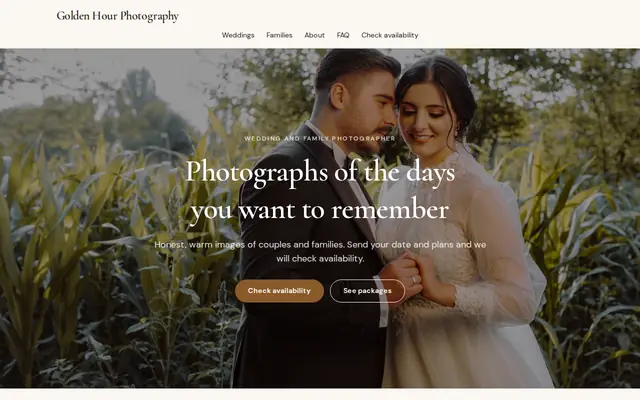
Editorial and airy for photographers and creatives who take bookings.
Advice
Whatever you build it with, these are the things that turn visitors into customers.
People choosing independent living often research for themselves. Write to them directly, about their days, their friends and their independence, and keep a separate page for adult children who want to know about care.
Say whether you’re a monthly rental or an entrance-fee life plan community, and what each covers if care needs grow. Many US states ask continuing care communities to give a disclosure statement, so offer to send yours.
Upload floor plans as clear images with room sizes written on them, and show where a queen bed and a sofa fit. “Will my furniture fit?” is one of the first questions people ask.
If you help with downsizing, recommend movers or give a moving checklist, say so on its own page. The move often worries people more than the community does.
Lunch in the dining room, the garden in bloom, a class in progress. Get written permission from every resident who appears, and refresh the photos when the seasons change.
Can I bring my dog? Is there parking for my car? Can I keep a garden plot? Can my grandchildren stay over? Put the answers on your FAQ, where people look for them first.
How it works
A sentence or two is enough: what you do, who it’s for and how people buy from you.
Cornerrr writes your pages, adds your products or services, and picks the colours, fonts and look. It takes about a minute.
Link a Stripe account, or create one in a few minutes. Your customers pay you directly.
Publish on your free Cornerrr web address, or use your own. Change anything later by asking.
Payments
Payments go through your own Stripe account, straight to you. Your customers see the methods you turn on in Stripe that work for their country and currency.
Selling in Europe or the US? United States, United Kingdom, Germany, France, Netherlands, Ireland and every country we cover.
Pricing
Build and preview for free, no card needed. Every paid plan starts with a 14-day free trial, and Cornerrr adds no transaction fees.
Build your website and try everything before you go live.
$0free
Go live and start selling.
$19a month
Most popular
For growing businesses with subscriptions and deliveries.
$49a month
For several stores and bigger catalogues.
$99a month
Questions
Independent living is for people who manage on their own and want services like meals, housekeeping and activities; assisted living adds daily help with things like bathing, dressing and medications. Say on your website which you offer and how people move between them.
Give each apartment type its own page with photos, a floor plan image and its size. On Cornerrr you can mark it “price on request”, so people send an availability request that lands in your Inbox.
Yes. Give each event a page with a short form. Each reply lands in your Inbox and by email, and you answer to confirm and share parking or arrival details.
Usually not. One website with clear pages for each living option is easier to keep current and keeps your name in one place for search engines. A second website mostly makes sense for a separate community in another town.
No. You describe your business in your own words and Cornerrr builds the website. Afterwards you change things by clicking, or by asking the assistant in plain words.
Building and previewing your website is free, with no card needed. To go live and take payments, choose a plan from $19 a month. Every paid plan starts with a 14-day free trial; a card is needed to start it.
Describe your business and see your website in about a minute. It’s free until you go live.