Preview
Build your website and try everything before you go live.
$0free
Website builder for staffing agencies
Describe the roles you fill and the industries you serve, and Cornerrr builds pages for employers and candidates, a staff request form that lands in your Inbox, and job listings candidates can respond to.
What you get
Cornerrr writes every page from your description, then you change anything by clicking or by asking.
Employers send the role, number of people, shifts, start date and site location. Each request lands in your Inbox, ready for a reply with your rates.
Each job is a listing with pay, shift and location, marked “price on request” so its button sends you a short note of interest instead of opening a cart.
Warehouse, manufacturing, hospitality or office roles each get a page with the jobs you fill and the employers you work with, in the words those employers use.
Professional services
What you offer without a price, and quote requests with the quantities and details you need.
Paste this week’s new roles and ask the assistant to add them as listings, then edit any detail by clicking.
Employer requests and candidate notes arrive in the same Inbox and by email. Ask the assistant which employer requests are still open.
Each job and industry page gets its own title and description, so searches for warehouse jobs or staffing in your city can land on the right page.
Ready-made themes
Made for Manufacturers, Suppliers, Contractors
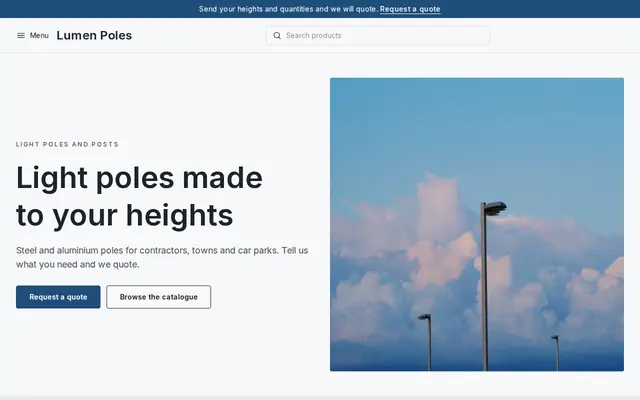
Crisp and industrial for suppliers who sell on quotes.
Made for Office suppliers, Fit-out companies, B2B services
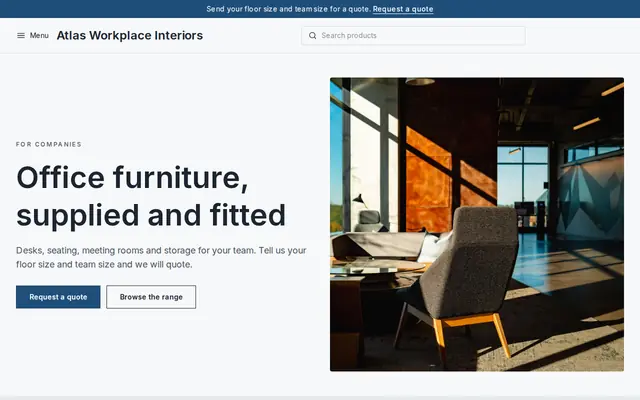
Modern and confident for B2B services and fit-outs.
Advice
Whatever you build it with, these are the things that turn visitors into customers.
Put two buttons near the top, “Find staff” and “Find a job”, so neither employers nor candidates have to read the other’s page first.
Ask candidates for a name, contact details and the job they want. Collect Social Security numbers, ID documents and bank details only during onboarding, through your secure systems.
Pay ranges, shift times and location bring more and better responses, and states including Colorado, California, Washington and New York require pay ranges in many job postings.
Out-of-date jobs waste candidates’ time and make your agency look careless. Remove roles as soon as they’re filled.
Many agencies add an equal opportunity statement to job pages and the footer. Check what your state and your clients’ contracts expect.
How it works
A sentence or two is enough: what you do, who it’s for and how people buy from you.
Cornerrr writes your pages, adds your products or services, and picks the colours, fonts and look. It takes about a minute.
Link a Stripe account, or create one in a few minutes. Your customers pay you directly.
Publish on your free Cornerrr web address, or use your own. Change anything later by asking.
Payments
Payments go through your own Stripe account, straight to you. Your customers see the methods you turn on in Stripe that work for their country and currency.
Selling in Europe or the US? United States, United Kingdom, Germany, France, Netherlands, Ireland and every country we cover.
Pricing
Build and preview for free, no card needed. Every paid plan starts with a 14-day free trial, and Cornerrr adds no transaction fees.
Build your website and try everything before you go live.
$0free
Go live and start selling.
$19a month
Most popular
For growing businesses with subscriptions and deliveries.
$49a month
For several stores and bigger catalogues.
$99a month
Questions
They can send a short note of interest from any job listing, and it lands in your Inbox. Cornerrr isn’t an applicant tracking system, so reply with your application or onboarding link.
Your “For employers” page has a request form for the role, headcount, shifts and start date. Each request arrives by email and in your Inbox, and you reply with rates and availability.
Yes, where you can. Candidates skip jobs without pay, and a growing number of US states and cities require a pay range in postings. Check the rules where your jobs are.
No. You describe your business in your own words and Cornerrr builds the website. Afterwards you change things by clicking, or by asking the assistant in plain words.
Building and previewing your website is free, with no card needed. To go live and take payments, choose a plan from $19 a month. Every paid plan starts with a 14-day free trial; a card is needed to start it.
Describe your business and see your website in about a minute. It’s free until you go live.