Preview
Build your website and try everything before you go live.
$0free
Website builder for memory care communities
Families looking for memory care are often exhausted and short on time. Describe your community and Cornerrr builds calm, clear pages about your care, your setting and your days, with a tour request form that sends every inquiry to your Inbox.
What you get
Cornerrr writes every page from your description, then you change anything by clicking or by asking.
Describe how your team gets to know each resident: their life story, their routines, the music they love and what calms them. Families want to know their mother will be known as a person, not a diagnosis.
Explain how doors are secured, where residents can walk freely and how the garden is enclosed, with photos of each. Families worry about wandering, and a plain explanation reassures more than a promise.
A short form asks who the tour is for and how soon the family hopes for a move. Requests land in your Inbox, and you reply to arrange a visit and, later, an assessment.
If you host a caregiver support group or a talk about dementia, give it a page with dates and a short sign-up form. It welcomes families months before they’re ready to move.
Care and health
Your services with prices, or “price on request” so clients ask first, and every request in your Inbox.
Cornerrr writes your pages in a gentle, plain voice. Ask the assistant to soften a page, explain a term like “sundowning” in everyday words, or shorten anything that reads like a brochure.
Tour requests, support group sign-ups and general questions arrive in your Inbox and by email, so a family that writes at 2 a.m. is the first thing you see in the morning.
Change the activity calendar, a visiting note or your support group dates by clicking on the words, without calling a web designer.
Ready-made themes
Made for Assisted living, Care homes, Home care
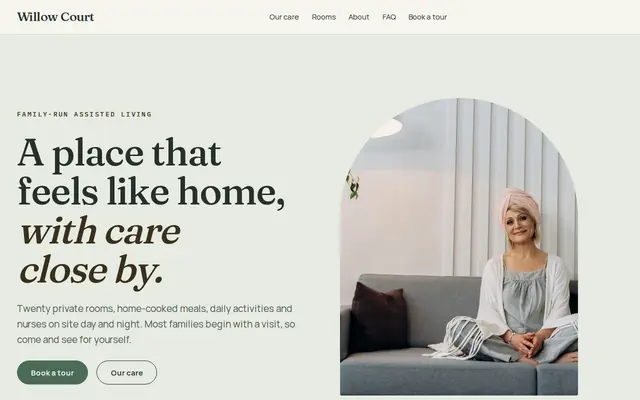
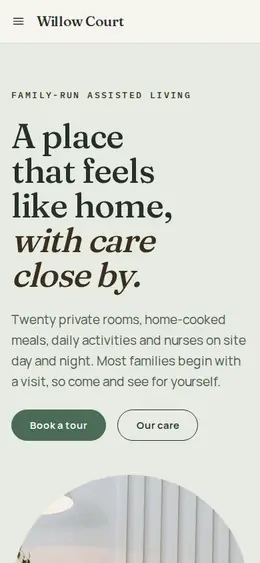
Calm and reassuring, with tour requests front and centre.
Made for Counsellors, Therapists, Life coaches
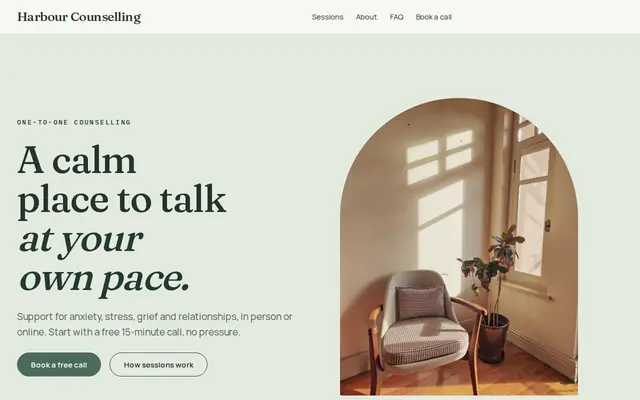
Soft and quiet for counsellors, coaches and therapists.
Advice
Whatever you build it with, these are the things that turn visitors into customers.
Many families search for signs that it’s time for memory care. A short, kind page about common moments, such as getting lost, missed medications or a caregiver at breaking point, helps them and shows you understand. Keep it general and avoid medical claims.
Say what dementia training your caregivers receive, how often it’s refreshed and who leads it. Many states set extra training and disclosure rules for memory care, so check yours and describe it accurately.
Breakfast, a morning walk, music after lunch, a quiet hour as the afternoon fades. A real schedule says more about your care than any adjective, and it answers what families quietly wonder: what will she do all day?
Say what happens if needs grow, such as frequent falls, changes in behavior or late-stage care, and whether you work with hospice. Families respect a clear answer more than a vague “we adapt”.
Use photos of spaces, hands at work and staff, and show a resident’s face only with written consent from the person who makes that decision for them. When in doubt, leave it out.
Ask for a name, phone number, email and a short note. Diagnoses, medications and care histories belong in a phone call or an assessment, not a website form.
How it works
A sentence or two is enough: what you do, who it’s for and how people buy from you.
Cornerrr writes your pages, adds your products or services, and picks the colours, fonts and look. It takes about a minute.
Link a Stripe account, or create one in a few minutes. Your customers pay you directly.
Publish on your free Cornerrr web address, or use your own. Change anything later by asking.
Payments
Payments go through your own Stripe account, straight to you. Your customers see the methods you turn on in Stripe that work for their country and currency.
Selling in Europe or the US? United States, United Kingdom, Germany, France, Netherlands, Ireland and every country we cover.
Pricing
Build and preview for free, no card needed. Every paid plan starts with a 14-day free trial, and Cornerrr adds no transaction fees.
Build your website and try everything before you go live.
$0free
Go live and start selling.
$19a month
Most popular
For growing businesses with subscriptions and deliveries.
$49a month
For several stores and bigger catalogues.
$99a month
Questions
How the building and garden are secured, how staff keep track of residents day and night, and what happens in an emergency, in plain words with photos. Describe what you do rather than promising that nothing can go wrong.
Memory care pages focus on dementia training, the secured setting, daily structure and support for families. If you offer both, give each its own page so families reach the right one quickly.
Yes. On Cornerrr, a support group or talk can be a page with a short form. Each sign-up lands in your Inbox and by email, and you reply with the details.
Many communities explain what’s included and how care needs affect cost, then share current rates on a call or a tour. Whatever you choose, say so plainly so families aren’t left guessing.
No. You describe your business in your own words and Cornerrr builds the website. Afterwards you change things by clicking, or by asking the assistant in plain words.
Building and previewing your website is free, with no card needed. To go live and take payments, choose a plan from $19 a month. Every paid plan starts with a 14-day free trial; a card is needed to start it.
Describe your business and see your website in about a minute. It’s free until you go live.