Preview
Build your website and try everything before you go live.
$0free
Website builder for jewelers
Describe your jewelry store, what you make or stock and whether you take custom work, and Cornerrr builds the website: collections by metal and occasion, ring sizes as options, engagement and repair requests, and a Stripe checkout.
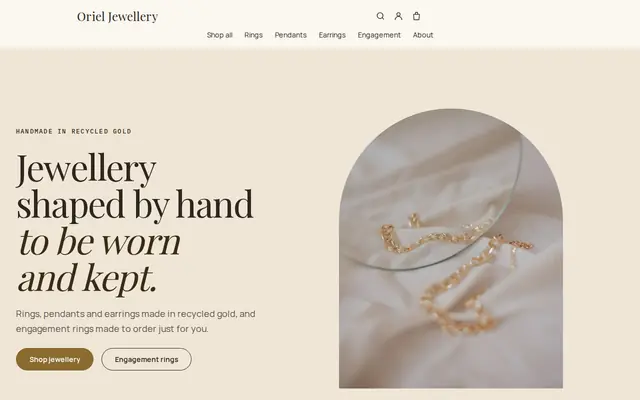
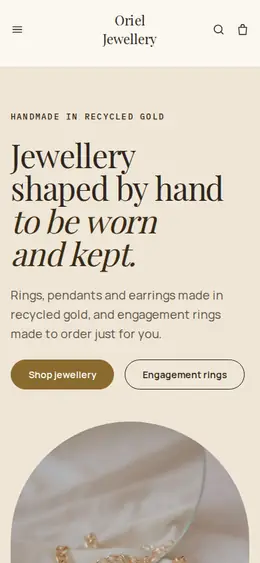
What you get
Cornerrr writes every page from your description, then you change anything by clicking or by asking.
Earrings, necklaces and bracelets with metal, chain length and ring size as options, each with its own stock. A pendant in gold and in silver is one product, not two listings.
Bespoke rings and redesigns of inherited stones are listed as “price on request”. Customers share their budget, stone and timeline, and you reply to set up a consultation.
A repairs page explains what you fix and how long it usually takes, with a form for customers to describe the piece. Requests land in your Inbox for you to quote once you’ve seen it.
Matching bands listed together, with widths and finishes as options, so couples can buy both in one order or send a request about engraving.
Shops and makers
Products with photos, options, prices and stock, a cart and a Stripe checkout.
Every product page has space for metal and purity, stone and carat, dimensions and care. Ask the assistant to add the same details, in the same order, to every listing.
Engagement and custom requests arrive in your Inbox and by email. There’s no booking calendar: you reply with times that suit you and your bench.
A vintage ring or a one-off pendant gets a stock of one, and checkout stops once it’s sold. Give it its own photos and an honest note on condition.
Turn on Klarna, Affirm or Afterpay in your Stripe Dashboard where Stripe offers them, and customers can spread the cost of a larger piece while the provider pays you.
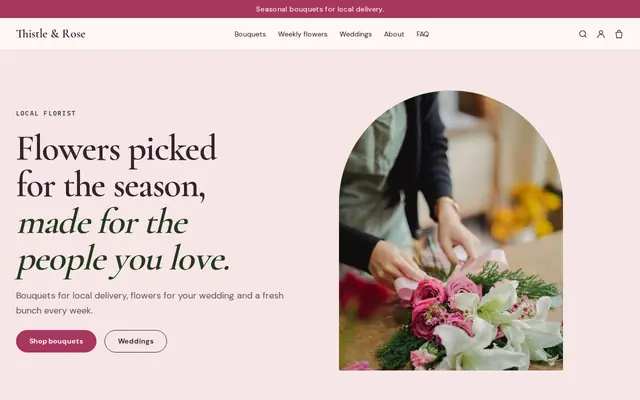
Ready-made themes
Made for Jewellers, Watchmakers, Luxury goods
Refined and luxurious for jewellery and premium goods.
Advice
Whatever you build it with, these are the things that turn visitors into customers.
Write “14k solid gold”, “gold vermeil” or “gold-plated brass”, and “lab-grown” or “natural” for diamonds. In the US, the FTC’s Jewelry Guides cover how these words may be used, and careful buyers notice vague wording.
In the UK, gold, silver, platinum and palladium items above small weight thresholds must be hallmarked by an assay office before they’re sold as those metals. Check the current thresholds before you list.
Ring sizes use letters in the UK, numbers in the US and millimeters of circumference in much of Europe. Add a chart with all three and a line on how to measure, and say whether you resize after purchase.
One photo on a plain background for detail and one worn, so the scale is obvious. Shoot in soft daylight, and clean every piece first: a close-up shows each speck of dust.
Buyers of fine jewelry want to know a parcel is insured and needs a signature. Say how you pack and send higher-value pieces, and offer an insured, signed-for rate alongside standard shipping.
How it works
A sentence or two is enough: what you do, who it’s for and how people buy from you.
Cornerrr writes your pages, adds your products or services, and picks the colours, fonts and look. It takes about a minute.
Link a Stripe account, or create one in a few minutes. Your customers pay you directly.
Publish on your free Cornerrr web address, or use your own. Change anything later by asking.
Payments
Payments go through your own Stripe account, straight to you. Your customers see the methods you turn on in Stripe that work for their country and currency.
Selling in Europe or the US? United States, United Kingdom, Germany, France, Netherlands, Ireland and every country we cover.
Pricing
Build and preview for free, no card needed. Every paid plan starts with a 14-day free trial, and Cornerrr adds no transaction fees.
Build your website and try everything before you go live.
$0free
Go live and start selling.
$19a month
Most popular
For growing businesses with subscriptions and deliveries.
$49a month
For several stores and bigger catalogues.
$99a month
Questions
Yes. Your custom design page has a short form for budget, stone, metal and ring size. The request lands in your Inbox and by email, and you reply to arrange a consultation in person or by video.
Add ring size as an option with stock for each size you have on hand. For sizes you make to order, turn on “sell when out of stock” for that ring so orders keep coming while you make it.
Pack small and discreet, insure higher-value pieces with your carrier and ask for a signature. On Cornerrr you add the carrier and tracking number to the order, and your customer gets a shipping email with the tracking link.
Yes. Your Contact page carries your address and opening hours, your website sells ready-made pieces online, and repair and custom requests go to your Inbox. Online stock is kept separately from your shop’s register.
No. You describe your business in your own words and Cornerrr builds the website. Afterwards you change things by clicking, or by asking the assistant in plain words.
Building and previewing your website is free, with no card needed. To go live and take payments, choose a plan from $19 a month. Every paid plan starts with a 14-day free trial; a card is needed to start it.
Describe your business and see your website in about a minute. It’s free until you go live.