Preview
Build your website and try everything before you go live.
$0free
Website builder for optometrists
Describe your practice and Cornerrr builds the pages patients check: exams for adults and children, contact lenses, the frame brands you carry, the vision plans you take and a request form for appointments that lands in your Inbox.
What you get
Cornerrr writes every page from your description, then you change anything by clicking or by asking.
Comprehensive exams, children’s exams and contact lens fittings, each with what happens, how long it takes and what to bring, like current glasses, contact lens boxes and a vision plan card.
Show the brands and styles you carry with photos, by collection, marked “price on request” so people come in to try them on. Independent frame lines are a reason to choose you over a chain.
Patients send their contact details, the kind of exam they need and a short note. It lands in your Inbox and by email, and your team replies with a time.
If you sell non-prescription sunglasses, cleaning kits or cases, list them as products with photos and stock, with shipping rates you set.
Care and health
Your services with prices, or “price on request” so clients ask first, and every request in your Inbox.
Every exam request lands in your Inbox and by email, and your staff confirm a time from your practice system, so you never juggle two schedules.
“Price on request” lets you show frames without selling them online: no price, no cart button, just a request to see them in the office.
Dry eye care, children’s vision or sports eyewear can each have a page with its own search title and description.
Change your hours, add a new frame line or update the vision plans you take by clicking on the words, or ask the assistant to do it.
Ready-made themes
Made for Dentists, Clinics, Opticians
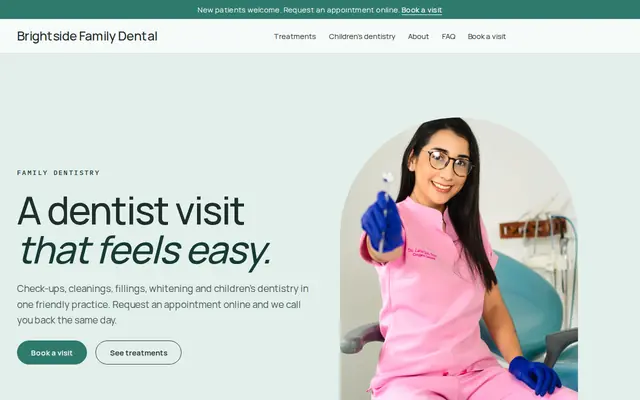
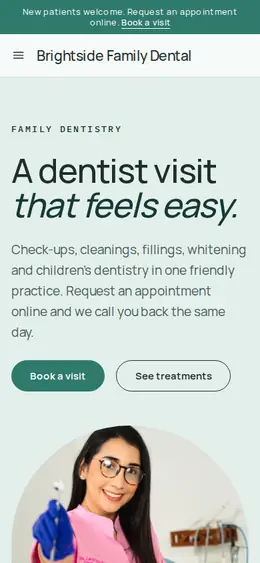
Clean and trustworthy for clinics that take appointment requests.
Made for Jewellers, Watchmakers, Luxury goods
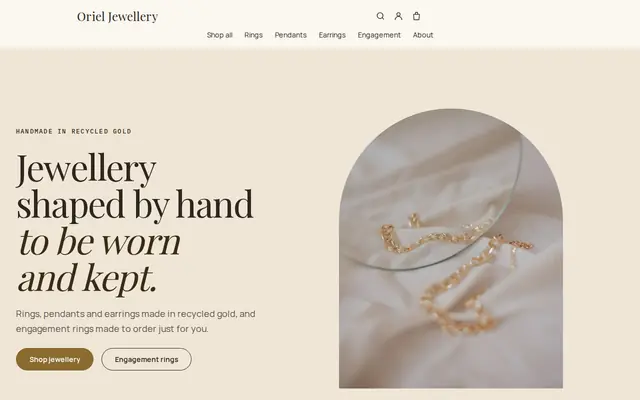
Refined and luxurious for jewellery and premium goods.
Advice
Whatever you build it with, these are the things that turn visitors into customers.
In the US, vision plans usually cover routine exams and eyewear, while medical insurance often covers eye problems like infections or dry eye. Explaining the difference on one page answers a question your staff hear daily.
Photograph frames on a plain background and on real faces, with permission. Name the brands you carry, because people search for them by name.
Tell patients which eye problems mean they should call rather than fill in a form, and where to go after hours. Website forms aren’t watched around the clock, and they’re not the place for symptoms.
Many people in the UK qualify for NHS-funded sight tests, including children and people over 60. If you offer them, say who’s eligible and what to bring as proof.
Parents want to know when to book a first exam, how you test a child who can’t read yet and how long it takes. A friendly page with a photo of your kids’ frame corner helps.
How it works
A sentence or two is enough: what you do, who it’s for and how people buy from you.
Cornerrr writes your pages, adds your products or services, and picks the colours, fonts and look. It takes about a minute.
Link a Stripe account, or create one in a few minutes. Your customers pay you directly.
Publish on your free Cornerrr web address, or use your own. Change anything later by asking.
Payments
Payments go through your own Stripe account, straight to you. Your customers see the methods you turn on in Stripe that work for their country and currency.
Selling in Europe or the US? United States, United Kingdom, Germany, France, Netherlands, Ireland and every country we cover.
Pricing
Build and preview for free, no card needed. Every paid plan starts with a 14-day free trial, and Cornerrr adds no transaction fees.
Build your website and try everything before you go live.
$0free
Go live and start selling.
$19a month
Most popular
For growing businesses with subscriptions and deliveries.
$49a month
For several stores and bigger catalogues.
$99a month
Questions
Patients send an exam request with their contact details and a short note. On Cornerrr it lands in your Inbox and by email, and your team confirms a time from your own schedule.
Prescription eyewear and contact lenses come with rules, such as prescription checks for contact lens sales in the US, so most practices keep them in the office. Non-prescription sunglasses, cases and cleaning products can be sold as regular products.
Many practices don’t, because the final price depends on lenses and vision plan benefits. Mark frames “price on request” so people ask, and explain how a frame allowance works.
Use “eye doctor” and “optometrist” with your town in page titles, link your website from your Google Business Profile and list the vision plans you take; people often search for a plan by name.
No. You describe your business in your own words and Cornerrr builds the website. Afterwards you change things by clicking, or by asking the assistant in plain words.
Building and previewing your website is free, with no card needed. To go live and take payments, choose a plan from $19 a month. Every paid plan starts with a 14-day free trial; a card is needed to start it.
Describe your business and see your website in about a minute. It’s free until you go live.