Preview
Build your website and try everything before you go live.
$0free
Website builder for handymen
Tell Cornerrr what you fix and where, and it builds a handyman website with a list of the jobs people actually look for, half-day and full-day visits they can pay for online, and a form for sending you their to-do list.
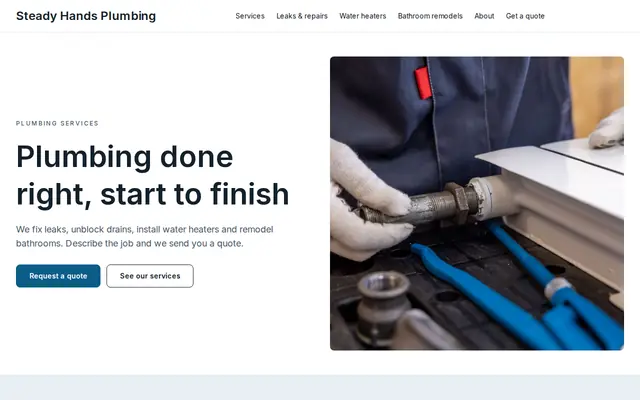
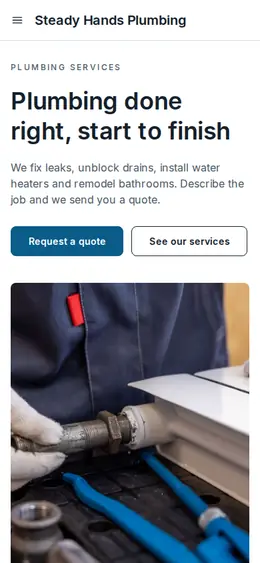
What you get
Cornerrr writes every page from your description, then you change anything by clicking or by asking.
Sell a block of your time as a fixed-price service. Customers pay online, reply with their list, and you work through it in the order they choose.
A “price on request” form where people paste their list, say what materials they already have and how high the ladder needs to go. It lands in your Inbox for you to price.
TV mounting, furniture assembly and curtain rods as services with a set price and options, such as the size of the TV or the number of items.
A page for landlords and property managers: patching, paint touch-ups and fixes between tenants, with a request form that asks for the property address and how you get in.
Home and local services
What you offer without a price, and quote requests with the quantities and details you need.
Each common job is its own service with a photo and what’s included, so it can show up when someone searches for that task. Ask the assistant to add a new one in a sentence.
Every to-do list arrives in your Inbox and your email, so when a customer comes back you can look up what they asked for last time.
Cornerrr writes your About page and job descriptions in a plain, friendly voice. Tell the assistant to make them shorter or more down to earth and apply what you like.
Fixed-price jobs and half-days are paid by card, Apple Pay or Google Pay to your own Stripe account before you arrive, so there’s no awkward talk about money at the door.
Ready-made themes
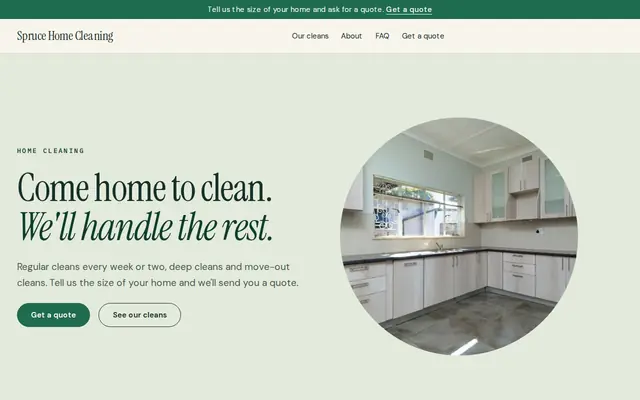
Made for Cleaners, Window cleaners, Home organisers
Fresh and tidy for cleaners and home services.
Advice
Whatever you build it with, these are the things that turn visitors into customers.
Many US states limit what a handyman can take on without a contractor’s license, often by job size or by trade such as electrical, plumbing and gas. Check your state’s rules and list what you refer out.
People search “mount TV on brick wall” or “fix sticking door”, not “handyman services”. A page of named jobs with a line about each matches far more of those searches.
Hourly rates make people nervous about slow work. Fixed prices for common jobs, and half-day blocks for mixed lists, are easier to say yes to.
Many handyman customers are older homeowners or people living alone. A friendly photo, your full name and a line about your insurance make the first visit easier to agree to.
Nextdoor and local Facebook groups ask that question every week. When a past customer recommends you, a link to your list of jobs gives the next person something to click.
How it works
A sentence or two is enough: what you do, who it’s for and how people buy from you.
Cornerrr writes your pages, adds your products or services, and picks the colours, fonts and look. It takes about a minute.
Link a Stripe account, or create one in a few minutes. Your customers pay you directly.
Publish on your free Cornerrr web address, or use your own. Change anything later by asking.
Payments
Payments go through your own Stripe account, straight to you. Your customers see the methods you turn on in Stripe that work for their country and currency.
Selling in Europe or the US? United States, United Kingdom, Germany, France, Netherlands, Ireland and every country we cover.
Pricing
Build and preview for free, no card needed. Every paid plan starts with a 14-day free trial, and Cornerrr adds no transaction fees.
Build your website and try everything before you go live.
$0free
Go live and start selling.
$19a month
Most popular
For growing businesses with subscriptions and deliveries.
$49a month
For several stores and bigger catalogues.
$99a month
Questions
Many handymen use fixed prices for common jobs, half-day or full-day rates for mixed lists, and quotes for anything bigger. On Cornerrr each can be its own service, with options like the size of the TV.
Yes. Your request form takes their list and details, and it lands in your Inbox and by email. You reply with a price, a question or a day you can come.
It depends on the state and the job. Some states require a license above a certain job value, and most require licensed trades for electrical, plumbing and gas work. Check your state contractor board before you advertise those.
Real jobs: a mounted TV with the cables hidden, a patched wall before and after paint, a door that finally closes. They show the finish people care about, and Cornerrr’s AI can write the alt text for each.
No. You describe your business in your own words and Cornerrr builds the website. Afterwards you change things by clicking, or by asking the assistant in plain words.
Building and previewing your website is free, with no card needed. To go live and take payments, choose a plan from $19 a month. Every paid plan starts with a 14-day free trial; a card is needed to start it.
Describe your business and see your website in about a minute. It’s free until you go live.