Preview
Build your website and try everything before you go live.
$0free
Website builder for electricians
Describe your electrical work and Cornerrr builds an electrician website with pages for the jobs people look for, like EV chargers and panel upgrades, a quote form that asks the right questions, and fixed-price inspections customers pay for online.
What you get
Cornerrr writes every page from your description, then you change anything by clicking or by asking.
The request form asks for the charger model, where the panel is, how far it is from the parking spot and the panel’s rating, which settles most of the price before a visit.
Safety inspections, and in the UK landlord condition reports, can be services with a set price by property size. Customers pay online, then you arrange the visit by email.
“Price on request” for work that needs a look first. Say whether you pull the permit and arrange the inspection, which many homeowners don’t know they need.
Outlets, switches, ceiling fans and light fixtures listed as small jobs, so people with a short list can send it in one request instead of calling around.
Home and local services
What you offer without a price, and quote requests with the quantities and details you need.
Ask the assistant for a page on EV chargers, one on panel upgrades and one on lighting, each with its own search title and description. Edit any line by clicking.
Requests land in your Inbox and by email. Reply asking for a photo of the panel with the door open, and you’ll often know the job before you drive out.
Shop owners and landlords can add a tax ID at checkout, and paid one-time jobs come with an invoice from Stripe for their records.
Ask the assistant to raise your inspection price, add a new service or rewrite your About page, and apply the change when you’re happy with it.
Ready-made themes
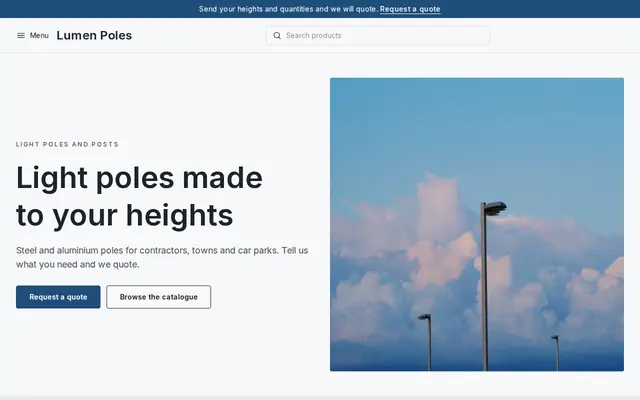
Made for Manufacturers, Suppliers, Contractors
Crisp and industrial for suppliers who sell on quotes.
Advice
Whatever you build it with, these are the things that turn visitors into customers.
Electrical work is licensed in most US states or cities, and customers are told to check. Show your license number, say you pull permits where needed, and link to your state board’s license lookup if it has one.
Private landlords in England need an Electrical Installation Condition Report at least every five years. A clear EICR page, with your NICEIC or NAPIT registration if you have one, brings steady work.
Distance from the panel, spare panel capacity and the wall the cable runs through change the price most. Explaining that up front makes your quote feel fair rather than high.
Sparking outlets and lost power are calls, not forms. Put your number and emergency hours at the top of one page, and say when people should call the utility instead.
A clean, labeled panel is the best photo an electrician can post. Take one after each job and add AI-written alt text, so search engines can read what the picture shows.
How it works
A sentence or two is enough: what you do, who it’s for and how people buy from you.
Cornerrr writes your pages, adds your products or services, and picks the colours, fonts and look. It takes about a minute.
Link a Stripe account, or create one in a few minutes. Your customers pay you directly.
Publish on your free Cornerrr web address, or use your own. Change anything later by asking.
Payments
Payments go through your own Stripe account, straight to you. Your customers see the methods you turn on in Stripe that work for their country and currency.
Selling in Europe or the US? United States, United Kingdom, Germany, France, Netherlands, Ireland and every country we cover.
Pricing
Build and preview for free, no card needed. Every paid plan starts with a 14-day free trial, and Cornerrr adds no transaction fees.
Build your website and try everything before you go live.
$0free
Go live and start selling.
$19a month
Most popular
For growing businesses with subscriptions and deliveries.
$49a month
For several stores and bigger catalogues.
$99a month
Questions
Lead sites often sell the same request to several electricians. Your own website with your license number, real jobs and a short quote form brings requests that are only yours. Cornerrr builds one from a sentence or two, and requests land in your Inbox.
Ask a few questions on your request form: charger model, panel location and distance to the parking spot. Requests land in your Inbox, and you reply by email with a price or a time to visit.
In many US states and cities, contractor license numbers must appear in advertising, which usually includes websites. Check your state licensing board’s rules; showing it is reassuring either way.
Yes. Make the inspection a service with a set price, or prices by property size, and customers pay online through your Stripe account. You then arrange the visit by email.
No. You describe your business in your own words and Cornerrr builds the website. Afterwards you change things by clicking, or by asking the assistant in plain words.
Building and previewing your website is free, with no card needed. To go live and take payments, choose a plan from $19 a month. Every paid plan starts with a 14-day free trial; a card is needed to start it.
Describe your business and see your website in about a minute. It’s free until you go live.