Preview
Build your website and try everything before you go live.
$0free
Website builder for painters
Tell Cornerrr what you paint and where, and it builds a painting contractor website with interior, exterior and cabinet pages, a color consultation customers can pay for online, and an estimate form that asks about rooms, ceilings and the age of the house.

What you get
Cornerrr writes every page from your description, then you change anything by clicking or by asking.
Interior and exterior jobs are “price on request”. The form asks how many rooms, the ceiling heights, whether trim and doors are included, and roughly when the house was built.
Kitchen cabinet refinishing gets its own page with before and after photos, the finish you use and how long the kitchen is out of action, the question every customer asks.
Bring large sample boards, help choose a palette for the whole house, and sell the visit as a fixed-price service that people pay for online before you come.
Single rooms, front doors and touch-ups before a house goes on the market as fixed-price services, so sellers and their agents can order them quickly.
Home and local services
What you offer without a price, and quote requests with the quantities and details you need.
Interior, exterior and cabinet work each get a page with its own search title and description, so someone looking for cabinet painting lands on cabinets, not on fences.
Every request lands in your Inbox and by email with the rooms, dates and the age of the house, so you can plan walkthroughs by neighborhood and keep exteriors for dry months.
Ask the assistant to turn your prep steps into a clear page: moving furniture, covering floors, patching, sanding, priming. It explains why your estimate isn’t the cheapest.
Color consultations and fixed jobs are paid by card, Apple Pay, Google Pay or the local methods you turn on, straight into your own Stripe account.
Ready-made themes
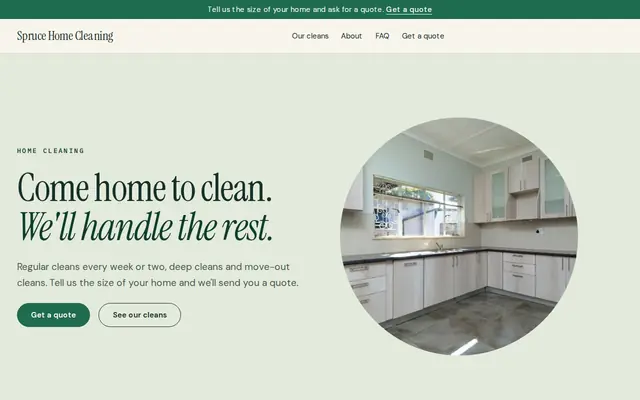
Made for Cleaners, Window cleaners, Home organisers
Fresh and tidy for cleaners and home services.
Advice
Whatever you build it with, these are the things that turn visitors into customers.
In the US, paint work that disturbs paint in homes built before 1978 generally has to be done by an EPA Lead-Safe Certified firm under the RRP rule. If you’re certified, say so: owners of older homes look for it.
Masked floors, filled cracks and sanded trim explain your price better than a glossy finish. Take a few photos mid-job, not only once the room is styled and empty.
Customers often ask for a particular brand or a low-VOC paint. Say what you normally use, whether you work with the customer’s choice, and who buys the paint.
Exterior paint needs dry weather and temperatures above the label’s minimum. Say which months you paint outside and what happens on a rainy day, so a delay doesn’t look like a no-show.
Many people scroll through the photos on a painter’s Google Business Profile before opening any website. Add a few after every job, matching the ones in your gallery.
How it works
A sentence or two is enough: what you do, who it’s for and how people buy from you.
Cornerrr writes your pages, adds your products or services, and picks the colours, fonts and look. It takes about a minute.
Link a Stripe account, or create one in a few minutes. Your customers pay you directly.
Publish on your free Cornerrr web address, or use your own. Change anything later by asking.
Payments
Payments go through your own Stripe account, straight to you. Your customers see the methods you turn on in Stripe that work for their country and currency.
Selling in Europe or the US? United States, United Kingdom, Germany, France, Netherlands, Ireland and every country we cover.
Pricing
Build and preview for free, no card needed. Every paid plan starts with a 14-day free trial, and Cornerrr adds no transaction fees.
Build your website and try everything before you go live.
$0free
Go live and start selling.
$19a month
Most popular
For growing businesses with subscriptions and deliveries.
$49a month
For several stores and bigger catalogues.
$99a month
Questions
Many painters hold a price for around a month, since paint costs and schedules change. Say how long yours is valid on the estimate and on your website, so nobody expects last year’s price.
Only for simple, fixed jobs like a single room or a front door. Whole-house work depends on prep, ceilings and trim, so most painters estimate after a walkthrough. A short form gets you the basics first.
Leave a yard sign while you work, hand a card to the neighbors who stop to look, and put your web address on both. Every finished house advertises you to its street.
Yes. Add the consultation as a service with a set price, and customers pay through your own Stripe account. You then arrange the visit with them by email.
No. You describe your business in your own words and Cornerrr builds the website. Afterwards you change things by clicking, or by asking the assistant in plain words.
Building and previewing your website is free, with no card needed. To go live and take payments, choose a plan from $19 a month. Every paid plan starts with a 14-day free trial; a card is needed to start it.
Describe your business and see your website in about a minute. It’s free until you go live.