Preview
Build your website and try everything before you go live.
$0free
Website builder for pet sitters
People hand a pet sitter their keys and their pets, so the website has to earn trust fast. Cornerrr builds a pet sitting website with your visits and overnight stays, your service area, your insurance and checks, and a request form for a meet-and-greet.

What you get
Cornerrr writes every page from your description, then you change anything by clicking or by asking.
Feeding, litter, fresh water, play and a short walk, with how long each visit lasts and what’s included, for cats, dogs, rabbits and other small pets.
Evenings and nights in the owner’s home, with what that covers, from a last walk to watering plants and bringing in the mail, listed with a price per night or on request.
New clients ask for a first visit through the request form with their pets, address and dates. It lands in your Inbox and by email, and you reply to arrange it.
Thanksgiving, Christmas and the summer weeks as their own service, with a note on how early to ask, because those dates go first.
Pets and animals
Your services with prices, or “price on request” so clients ask first, and every request in your Inbox.
Add a page for your insurance, background check, pet first aid training and references, and link it from every service. Edit it by clicking when you renew.
Each request arrives with the owner’s dates, pets and message. Ask the assistant which requests cover the holiday week, then reply to each by email.
Sell packs of drop-in visits as products with a price, paid through your own Stripe account, for regulars who would rather pay ahead than settle up later.
Cornerrr lets you edit each page’s title and description, so you can name the neighborhoods you cover where search engines and nearby owners will see them.
Ready-made themes
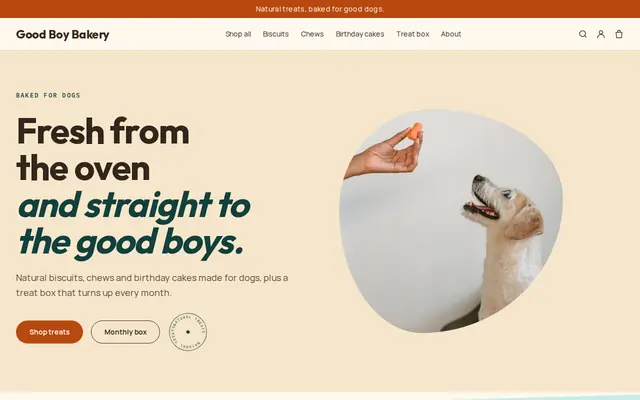
Made for Pet treats, Pet shops, Dog groomers
Fun and friendly for pet shops and pet services.
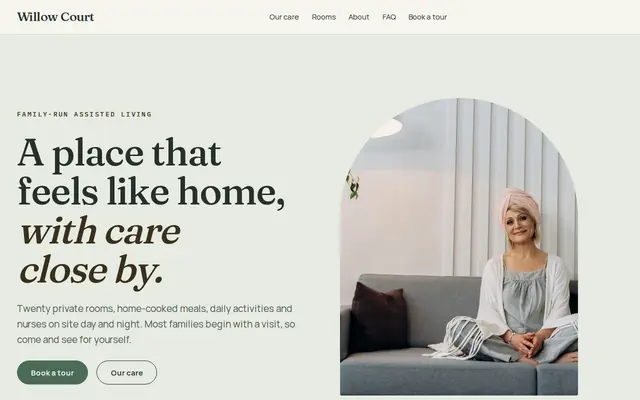
Made for Assisted living, Care homes, Home care
Calm and reassuring, with tour requests front and centre.
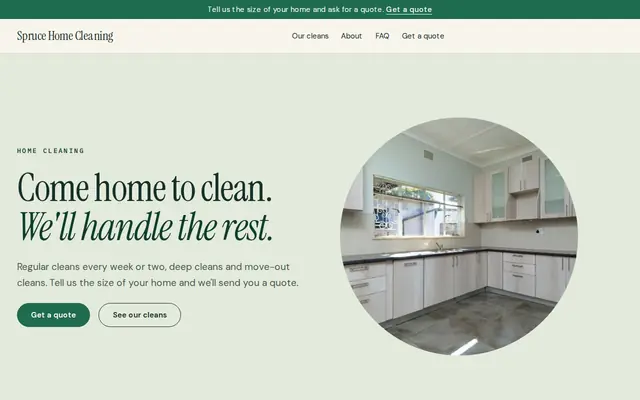
Made for Cleaners, Window cleaners, Home organisers
Fresh and tidy for cleaners and home services.
Advice
Whatever you build it with, these are the things that turn visitors into customers.
Insurance, a background check, pet first aid and how long you’ve been sitting. In the US, many sitters are also bonded. Put these on the home page, not hidden on the About page.
Say how you collect, store and return keys, whether you use lockboxes, and that keys are never labeled with an address. It’s a question every owner thinks about.
Time on site, feeding, litter, walks, medication, plants, trash day, a photo update. Clear visits avoid the “I thought you’d also…” conversation.
Sitting in the owner’s home rarely needs a special license, but caring for dogs in your own home often does: in England, home boarding needs a council license. Check your local rules before you offer it.
Owners plan summer vacations and the winter holidays months ahead. Say when you start taking requests for those dates, and update the home page when you’re full.
How it works
A sentence or two is enough: what you do, who it’s for and how people buy from you.
Cornerrr writes your pages, adds your products or services, and picks the colours, fonts and look. It takes about a minute.
Link a Stripe account, or create one in a few minutes. Your customers pay you directly.
Publish on your free Cornerrr web address, or use your own. Change anything later by asking.
Payments
Payments go through your own Stripe account, straight to you. Your customers see the methods you turn on in Stripe that work for their country and currency.
Selling in Europe or the US? United States, United Kingdom, Germany, France, Netherlands, Ireland and every country we cover.
Pricing
Build and preview for free, no card needed. Every paid plan starts with a 14-day free trial, and Cornerrr adds no transaction fees.
Build your website and try everything before you go live.
$0free
Go live and start selling.
$19a month
Most popular
For growing businesses with subscriptions and deliveries.
$49a month
For several stores and bigger catalogues.
$99a month
Questions
Your services and what each visit includes, your service area, your insurance and checks, how keys are handled and how to ask for a meet-and-greet. Cornerrr builds those pages from a few sentences about you.
Clients send a request with their dates, pets and address; it lands in your Inbox and by email, and you confirm by reply. You decide which dates to take, which matters when you work alone.
Yes. A visit, a night or a pack of visits can be a product with a price, paid through your own Stripe account by card or wallet. Cornerrr adds no transaction fee.
Keep your neighborhoods in the page titles, link the website from your Google Business Profile and local groups, and keep your trust details on the home page. Most owners want someone who lives close by.
No. You describe your business in your own words and Cornerrr builds the website. Afterwards you change things by clicking, or by asking the assistant in plain words.
Building and previewing your website is free, with no card needed. To go live and take payments, choose a plan from $19 a month. Every paid plan starts with a 14-day free trial; a card is needed to start it.
Describe your business and see your website in about a minute. It’s free until you go live.