Preview
Build your website and try everything before you go live.
$0free
Website builder for driving schools
Tell Cornerrr where you teach and what you offer, and it builds your driving school website: lesson packages, manual and automatic options, the areas you pick learners up from, instructor profiles and a lesson request form.
What you get
Cornerrr writes every page from your description, then you change anything by clicking or by asking.
Single lessons and packages of 5 or 10 as products, with automatic and manual as options. Learners pay online, and you arrange the first lesson by email.
A warm-up lesson and use of your car for the test, as its own product. Write exactly what’s included and what the learner needs to bring on the day.
New learners send their area, whether they hold a permit and when they’re free. Requests land in your Inbox, and you reply with an instructor and a start date.
A teen driver’s ed class or an intensive week as a product, with stock set to the places you have. It stops selling when the course is full.
Fitness, lessons and classes
Your services with prices, or “price on request” so clients ask first, and every request in your Inbox.
Cornerrr writes a page listing the towns and neighborhoods you pick up from, so people searching “driving lessons” plus their town can find you.
One package can carry manual and automatic as options with different prices. Learners pick before checkout, and you see their choice on the order.
Each instructor with a photo, the car they teach in, the languages they speak and their license or registration. Edit a profile in a click when your team changes.
Ready-made themes
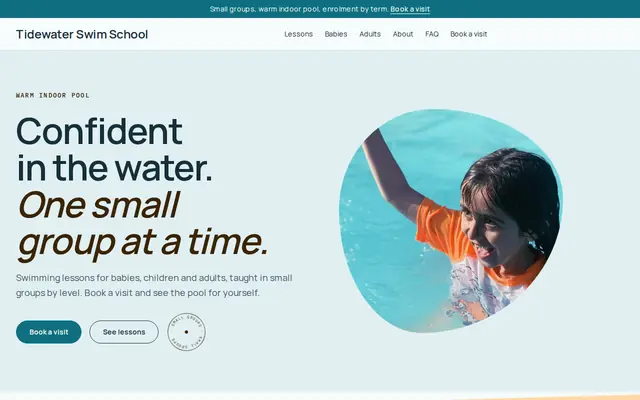
Made for Swim schools, Music lessons, Kids’ clubs
Bright and cheerful for lessons, schools and clubs.
Advice
Whatever you build it with, these are the things that turn visitors into customers.
In the US, driving schools and instructors are usually licensed by the state, and in the UK instructors are approved by the DVSA and show a green badge, or a pink one while training. Put your license or ADI number on the website.
Check permits and licenses in person at the first lesson. A website form only needs a name, contact details, the area and when the learner is free.
If you publish a pass rate, base it on your real results and say over what period. Never promise a pass, because learners and parents notice when it doesn’t hold.
What the package includes, where you meet, how long the warm-up is and what happens if the test is canceled. Every learner asks this in the last weeks.
In the UK and many European countries, passing in an automatic limits the license to automatics. Say clearly which you teach, and mention dual controls and the car model.
How it works
A sentence or two is enough: what you do, who it’s for and how people buy from you.
Cornerrr writes your pages, adds your products or services, and picks the colours, fonts and look. It takes about a minute.
Link a Stripe account, or create one in a few minutes. Your customers pay you directly.
Publish on your free Cornerrr web address, or use your own. Change anything later by asking.
Payments
Payments go through your own Stripe account, straight to you. Your customers see the methods you turn on in Stripe that work for their country and currency.
Selling in Europe or the US? United States, United Kingdom, Germany, France, Netherlands, Ireland and every country we cover.
Pricing
Build and preview for free, no card needed. Every paid plan starts with a 14-day free trial, and Cornerrr adds no transaction fees.
Build your website and try everything before you go live.
$0free
Go live and start selling.
$19a month
Most popular
For growing businesses with subscriptions and deliveries.
$49a month
For several stores and bigger catalogues.
$99a month
Questions
They can buy a package or send a lesson request, and you agree the times with them by email. Cornerrr has no instructor diary or automatic booking.
Add the package as a product with options for manual or automatic and the number of lessons, each with its own price. Paid orders show the learner’s choice and contact details.
Yes. Cornerrr writes an Areas page from your list of towns and neighborhoods, and you can name the main ones in your page titles and on your home page.
Yes. Anyone can buy a package, and the receipt goes to whoever paid. Confirm the learner’s name and permit details with them by email or at the first lesson.
No. You describe your business in your own words and Cornerrr builds the website. Afterwards you change things by clicking, or by asking the assistant in plain words.
Building and previewing your website is free, with no card needed. To go live and take payments, choose a plan from $19 a month. Every paid plan starts with a 14-day free trial; a card is needed to start it.
Describe your business and see your website in about a minute. It’s free until you go live.