Preview
Build your website and try everything before you go live.
$0free
Website builder for propane suppliers
Tell Cornerrr about your propane business and it builds a website for fill requests, tank rentals, cylinder exchange and new-customer sign-ups, with your service area and emergency number where people look first.

What you get
Cornerrr writes every page from your description, then you change anything by clicking or by asking.
Propane prices move with the market, so list bulk deliveries as price on request. Customers send their address, tank size and gauge reading, and you reply by email with the price and the delivery day.
Residential tank lease fees as a yearly subscription billed by Stripe on the Growth plan, so you stop mailing invoices every spring. Customers see their lease in their account.
Grill and patio heater cylinders, forklift cylinders, regulators and hoses as products with fixed prices and stock. Paid orders arrive by email, ready to load for the next route.
A form for new customers: address, appliances, current supplier, and whether their tank is owned or leased. Requests land in your Inbox so you can arrange a site visit before the first fill.
Deliveries and subscriptions
Plans billed every week or month by Stripe, with one-off products and extras alongside.
Ask the assistant for a Safety page with what to do if you smell gas, your emergency number and how to read a tank gauge, then put it in your main menu so it’s one tap away on a phone.
Edit the form to ask for tank location, gate codes, driveway notes and dogs on the property. Every answer arrives with the request, so nobody has to call back before the truck goes out.
Fill requests, switching forms and questions land in your Inbox and in your email, so the office can answer them in order instead of from a pile of voicemails.
Cylinder orders and lease fees are paid through your own Stripe account by card, wallet or bank debit where Stripe supports it. Cornerrr adds no transaction fee.
Ready-made themes
Made for Water delivery, Propane and fuel, Laundry pick-up
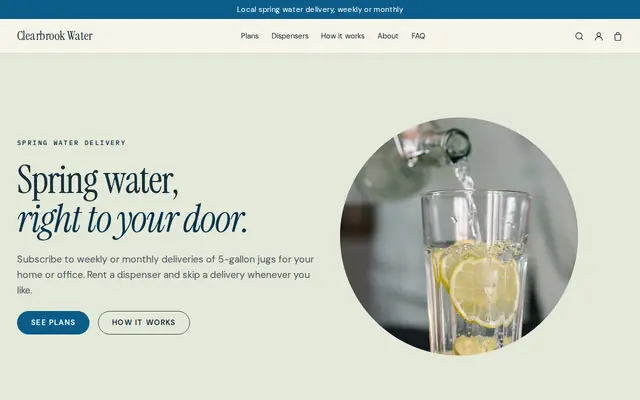
Clean and fresh for deliveries on a schedule.
Advice
Whatever you build it with, these are the things that turn visitors into customers.
Someone who smells gas won’t scroll. Show your emergency number on every page, with the standard advice: get everyone out, don’t use light switches or phones inside, and call from a safe distance.
Many homeowners don’t know the difference. Say which one you recommend for heating, how you decide when to come on automatic delivery, and the smallest will-call order you take.
In many US states only the company that owns a leased tank may fill it. Ask new customers who owns their tank on your form, explain how switching works, and check your state’s rules before you promise anything.
Fall is when people sign up and winter is when they run low. Ask customers to order before the gauge drops to about 20 to 30 percent, and say how many days a will-call delivery takes in January.
A photo of your own truck in a customer’s driveway builds more trust than stock pictures. Rural buyers often choose the propane company they already see on their road.
How it works
A sentence or two is enough: what you do, who it’s for and how people buy from you.
Cornerrr writes your pages, adds your products or services, and picks the colours, fonts and look. It takes about a minute.
Link a Stripe account, or create one in a few minutes. Your customers pay you directly.
Publish on your free Cornerrr web address, or use your own. Change anything later by asking.
Payments
Payments go through your own Stripe account, straight to you. Your customers see the methods you turn on in Stripe that work for their country and currency.
Selling in Europe or the US? United States, United Kingdom, Germany, France, Netherlands, Ireland and every country we cover.
Pricing
Build and preview for free, no card needed. Every paid plan starts with a 14-day free trial, and Cornerrr adds no transaction fees.
Build your website and try everything before you go live.
$0free
Go live and start selling.
$19a month
Most popular
For growing businesses with subscriptions and deliveries.
$49a month
For several stores and bigger catalogues.
$99a month
Questions
Yes. List bulk fills as price on request: customers send their tank size and gauge reading through a form, and you reply with the day’s price and delivery date. Cylinders with fixed prices can be sold as regular products.
Yes, on the Growth plan. Make the lease a yearly subscription and Stripe charges it every year through your own Stripe account. To change or end a lease, customers contact you and you update it in your Stripe Dashboard.
Your service area, delivery options, tank rental terms, how to switch suppliers, a safety page and an emergency number. Cornerrr starts you with pages for each, written from your description, and you edit them by clicking.
They can ask for it. The request lands in your Inbox with their tank details, and you add them to your routes. Cornerrr doesn’t read tank monitors or plan routes, so keep those in the tools you use today.
No. You describe your business in your own words and Cornerrr builds the website. Afterwards you change things by clicking, or by asking the assistant in plain words.
Building and previewing your website is free, with no card needed. To go live and take payments, choose a plan from $19 a month. Every paid plan starts with a 14-day free trial; a card is needed to start it.
Describe your business and see your website in about a minute. It’s free until you go live.