Preview
Build your website and try everything before you go live.
$0free
Website builder for heating oil dealers
Describe your oil company and Cornerrr builds a heating oil delivery website with gallon orders, budget plans, service contracts and a clear delivery area, so customers can order without calling in your busiest weeks.

What you get
Cornerrr writes every page from your description, then you change anything by clicking or by asking.
Deliveries of 100, 150 or 200 gallons as options of one product at your posted price. When the market moves, ask the assistant to update the prices, and checkout uses the new ones from then on.
Spread a season’s oil across equal monthly payments billed by Stripe on the Growth plan. Offer a few plan levels, and settle any difference with the customer at the end of the season as you do today.
Annual burner cleaning and service plans as a yearly subscription, with what’s covered and what isn’t written plainly on the page. Customers see their plan in their account.
Out-of-oil calls and new customers often need a tank check or a minimum delivery. List them as price on request so you can reply with your terms and the day you can come.
Deliveries and subscriptions
Plans billed every week or month by Stripe, with one-off products and extras alongside.
Tell the assistant your new price per gallon and it proposes the change on every delivery option at once. You check it and apply it, and you can undo it if you got it wrong.
Add fixed delivery rates for small orders or outlying towns, up to five of them, each with a delivery estimate, and limit checkout to the countries you deliver in.
Cornerrr writes an FAQ about minimum orders, reading a tank gauge and what to do if you run out, and you can edit any answer by clicking on it.
Orders and plans are paid into your own Stripe account. Cards, Apple Pay, Google Pay and ACH Direct Debit work once you turn them on, and Cornerrr adds no transaction fee.
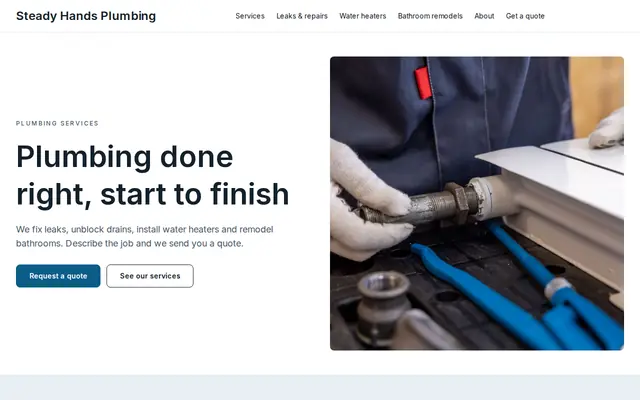
Ready-made themes
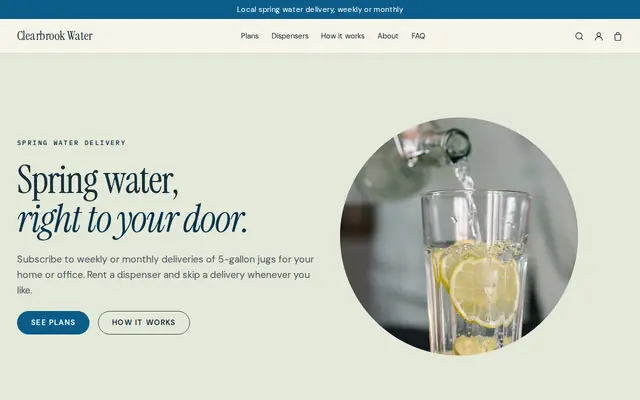
Made for Water delivery, Propane and fuel, Laundry pick-up
Clean and fresh for deliveries on a schedule.
Advice
Whatever you build it with, these are the things that turn visitors into customers.
People comparing dealers look for a price per gallon first. If you post one, say when it was last updated and what the minimum order is. If you quote instead, say how quickly you reply.
Explain whether you prime the burner, whether an emergency trip costs extra and how soon you can come in a cold snap. A family searching “out of heating oil” at night needs that on the first screen.
Say how the monthly amount is worked out, when the plan year starts, and what happens to a credit or a balance at the end. Clear terms in the fall prevent arguments in the spring.
Ask customers to keep the fill pipe and vent clear of snow and to call you if they smell oil or see a leak near the tank. If you inspect or replace old tanks, say so on the same page.
Early fall is the time to fill up and sign up. Put a short seasonal note on the home page about ordering early and how many days delivery takes in midwinter, and change it as the season goes on.
How it works
A sentence or two is enough: what you do, who it’s for and how people buy from you.
Cornerrr writes your pages, adds your products or services, and picks the colours, fonts and look. It takes about a minute.
Link a Stripe account, or create one in a few minutes. Your customers pay you directly.
Publish on your free Cornerrr web address, or use your own. Change anything later by asking.
Payments
Payments go through your own Stripe account, straight to you. Your customers see the methods you turn on in Stripe that work for their country and currency.
Selling in Europe or the US? United States, United Kingdom, Germany, France, Netherlands, Ireland and every country we cover.
Pricing
Build and preview for free, no card needed. Every paid plan starts with a 14-day free trial, and Cornerrr adds no transaction fees.
Build your website and try everything before you go live.
$0free
Go live and start selling.
$19a month
Most popular
For growing businesses with subscriptions and deliveries.
$49a month
For several stores and bigger catalogues.
$99a month
Questions
Yes. List deliveries as a product with gallon amounts as options at your current price. When prices change, ask the assistant to update them, and every order after that uses the new price.
Yes, on the Growth plan. Offer a few budget levels as options of one plan, and Stripe bills the chosen amount every month. If a customer’s amount needs to change, they contact you and you update it in your Stripe Dashboard.
It depends on your state. Many ask dealers to register and carry insurance, truck meters are usually checked by weights and measures inspectors, and some states regulate prepaid or fixed-price plans. Check with your state before you advertise a plan.
Yes. Keep your routes and degree-day planning where they are. Your Cornerrr website handles new sign-ups, one-time orders and plans, and emails you about each order so you can add it to your schedule.
No. You describe your business in your own words and Cornerrr builds the website. Afterwards you change things by clicking, or by asking the assistant in plain words.
Building and previewing your website is free, with no card needed. To go live and take payments, choose a plan from $19 a month. Every paid plan starts with a 14-day free trial; a card is needed to start it.
Describe your business and see your website in about a minute. It’s free until you go live.