Preview
Build your website and try everything before you go live.
$0free
Website builder for employee and company stores
Tell Cornerrr what your company or school gives its staff, and it builds an employee store website: polos, jackets and gifts with sizes as options, a checkout question for department or employee number, and discount codes for staff allowances. You stock or order the items. Cornerrr prints nothing.
What you get
Cornerrr writes every page from your description, then you change anything by clicking or by asking.
Polos, quarter-zips, jackets and caps as products, with size and color as options and stock for each one. When the last large is gone, checkout stops for that size and the others stay open.
Mugs, notebooks, water bottles, welcome kits for new hires and service anniversary gifts, each with photos and a stock count that goes down with every paid order.
Forty jackets for a new site or a set of shirts for a trade show can be listed with the price hidden. The department sends a request with quantities and sizes, it lands in your Inbox, and you reply by email with a quote from your printer.
Open the store for two weeks, let staff pay for what they want, then place one order with your printer for exactly those sizes. Turn on “sell when out of stock” for the round so nobody is turned away, and put the hand-out date on each product.
Schools, clubs and organizations
Products with photos, options, prices and stock, a cart and a Stripe checkout.
Add up to three questions at checkout: a dropdown of departments or sites, a number field for the employee number, a short text for a desk location. Each can be required. They apply to every order in the store, and the answers are saved with the order and printed on its packing slip.
Make a code worth a fixed amount or a percentage, limit it to once per customer, and give it an end date. A code is shared by everyone you give it to, so it works as an allowance on one order and not as a personal balance that carries over.
For items you hand out at the office, turn off “Ask for a delivery address” on the product and tell staff where to collect them. For remote staff, set fixed shipping rates and add the carrier and tracking number when a parcel leaves. Checkout has no pickup option of its own.
Staff pay by card, Apple Pay or Google Pay, and the money goes to the company’s or school’s own Stripe account. Cornerrr adds no fee per sale, and Stripe’s processing fees apply. There is no payroll deduction, so say on the store whether staff pay or a code covers the cost.
Ready-made themes
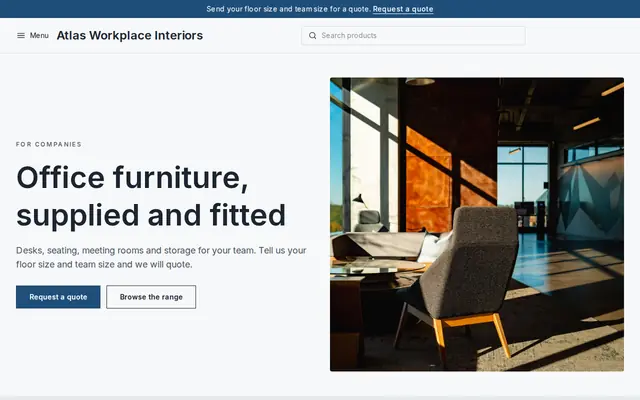
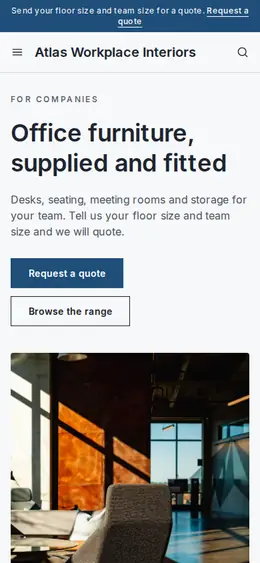
Made for Office suppliers, Fit-out companies, B2B services
Modern and confident for B2B services and fit-outs.
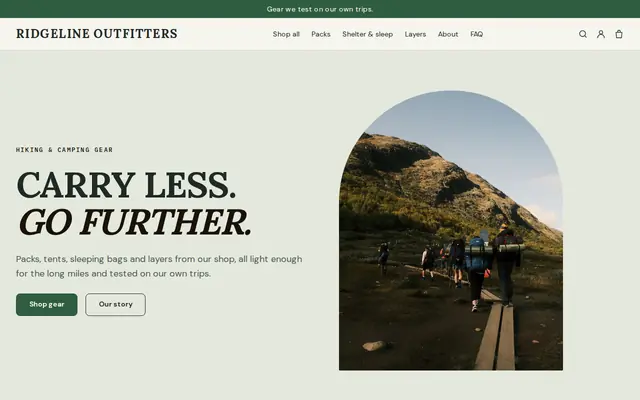
Made for Outdoor gear, Bike shops, Sports shops
Rugged and outdoorsy for adventure and sports shops.
Advice
Whatever you build it with, these are the things that make people enroll, join and order.
A few items people will wear do better than a long list nobody orders from. Start with a polo, a layer for cold days, a cap and two gifts, and add more once Orders shows what staff choose.
Brands cut differently, and an embroidered jacket in the wrong size is hard to exchange. Put the supplier’s measurements on each product page and say when a style runs small.
State at the top whether the organization covers the cost, whether there is a yearly allowance, and whether contractors or family members can order. It heads off the awkward emails that come after someone has already paid.
The store is an ordinary website that anyone with the address can open. There is no staff login in front of it. Keep internal information off the pages, and use the employee number question to check an order before you hand it over.
New-hire start dates, the first week of term, a trade show and the holiday party are when people need items. Give the order deadline and the hand-out date, so nobody expects an embroiderer to deliver the next day.
Clothing and gifts given to staff can count as a taxable benefit in some places, and the rules for required uniforms differ again. Check with your payroll or finance team before you set allowances.
How it works
A sentence or two is enough: who you are, what you sell and who buys it.
Cornerrr writes your pages, adds your classes, memberships or products, and picks the colors, fonts and look. It takes about a minute.
Link your own Stripe account, or create one in a few minutes. Payments go straight to it, and Cornerrr adds no fee per sale.
Publish on your free Cornerrr web address, or use your own. Change anything later by asking.
Payments
Payments go through your own Stripe account, straight to you. Your customers see the methods you turn on in Stripe that work for their country and currency.
Selling in Europe or the US? United States, United Kingdom, Germany, France, Netherlands, Ireland and every country we cover.
Pricing
Build and preview for free, no card needed. Every paid plan starts with a 14-day free trial, and Cornerrr adds no transaction fees.
Build your website and try everything before you go live.
$0free
Go live and start selling.
$19a month
Most popular
For growing businesses with subscriptions and deliveries.
$49a month
For several stores and bigger catalogs.
$99a month
Questions
With discount codes, on any paid plan. Create a code for a fixed amount or a percentage, limit it to once per customer and set an end date. The code is the same for everyone you give it to, so it isn’t a personal balance: an employee uses it on one order and pays any difference by card.
Yes. You can add up to three questions, each a short text, a number or a dropdown, required or optional. The answers are saved with the order and printed on its packing slip, so whoever sorts the boxes knows which department each one goes to.
No. Cornerrr has no print-on-demand and doesn’t pack or ship. Your organization stocks the items or orders them from its printer or embroiderer, then hands them out at work or ships them. If you want a supplier to print and mail each order, a print-on-demand company store is the better fit.
No. It is a public website without a staff login, so anyone with the link can open it. You can require an employee number at checkout and check it before you hand out the order, and keep anything internal off the pages.
Yes. A school or district lists staff polos, jackets and lanyards with sizes, adds a dropdown for the school building, and hands orders out through each office. Payments go to a Stripe account the school owns, so ask your finance office which account that should be.
No. You describe your organization in your own words and Cornerrr builds the website. Afterwards you change things by clicking, or by asking the assistant in plain words.
Building and previewing your website is free, with no card needed. To go live and take payments, choose a plan from $19 a month. Every paid plan starts with a 14-day free trial; a card is needed to start it. Cornerrr adds no fee per sale.
Describe your organization and see your website in about a minute. It’s free until you go live.