Preview
Build your website and try everything before you go live.
$0free
Website builder for pool services
Describe your pool route and Cornerrr builds a pool service website with weekly and every-other-week plans, opening and closing visits for each end of the season, and a request form for green pools, leaks and equipment repairs.

What you get
Cornerrr writes every page from your description, then you change anything by clicking or by asking.
Weekly or every-other-week cleaning becomes a subscription on the Growth plan, billed monthly by Stripe. Make one plan with chemicals included and one without, and say exactly what each visit covers.
Spring openings and fall closings are fixed-price services. Set the stock to the number your crew can do in the rush, and checkout stops when they’re gone.
Green-to-clean jobs, leaks, heaters and pump or filter replacements are “price on request”. The form asks for the pool size, the equipment brand and what’s wrong.
If you sell test strips, filter cartridges or skimmer baskets, list them as products with stock for customers who like to check their water between your visits.
Home and local services
Plans billed every week or month by Stripe, with one-off products and extras alongside.
Stripe bills each plan monthly by card, wallet, or ACH or SEPA Direct Debit where available, and customers see their plan in their account.
List the zip codes or towns you cover on their own page. Cornerrr gives it a search title and description, and the assistant can add the same list to your home page.
Repair requests arrive in your Inbox and by email with the pool size and equipment brand, so you can bring the right part on the first visit.
With Stripe Tax active, tax is added to plans and products at checkout where it applies. Services are taxed differently from state to state, so check how yours treats pool maintenance.
Ready-made themes
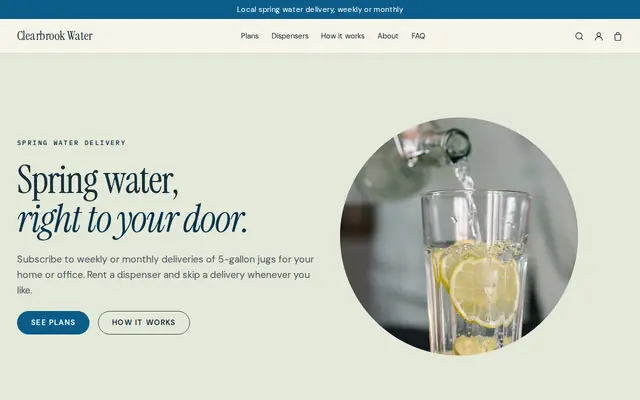
Made for Water delivery, Propane and fuel, Laundry pick-up
Clean and fresh for deliveries on a schedule.
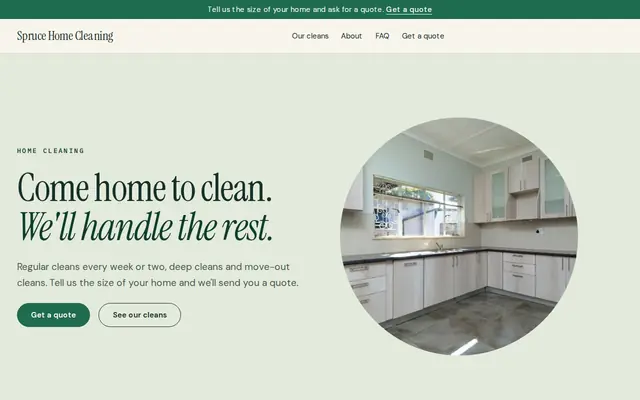
Made for Cleaners, Window cleaners, Home organisers
Fresh and tidy for cleaners and home services.
Advice
Whatever you build it with, these are the things that turn visitors into customers.
Skimming, brushing, vacuuming, emptying baskets, testing and adding chemicals, checking equipment: list it all. Say whether chemicals are included or billed on top, which is the first thing people compare.
Say how you report a leak or a failing pump and that you’ll quote before doing extra work. People worry about surprise charges more than about the plan price.
A Certified Pool Operator or similar course tells customers you know water chemistry. Some states and counties also license pool contractors for repairs and installs, so check what applies to you.
Where winters are cold, everyone wants their pool open on the same few weekends. Open sign-ups for openings a month or two ahead and say plainly when you’re full.
Customers know their zip code better than their distance from your shop. A clear list keeps out-of-area requests away and helps people in those zip codes find you when they search.
How it works
A sentence or two is enough: what you do, who it’s for and how people buy from you.
Cornerrr writes your pages, adds your products or services, and picks the colours, fonts and look. It takes about a minute.
Link a Stripe account, or create one in a few minutes. Your customers pay you directly.
Publish on your free Cornerrr web address, or use your own. Change anything later by asking.
Payments
Payments go through your own Stripe account, straight to you. Your customers see the methods you turn on in Stripe that work for their country and currency.
Selling in Europe or the US? United States, United Kingdom, Germany, France, Netherlands, Ireland and every country we cover.
Pricing
Build and preview for free, no card needed. Every paid plan starts with a 14-day free trial, and Cornerrr adds no transaction fees.
Build your website and try everything before you go live.
$0free
Go live and start selling.
$19a month
Most popular
For growing businesses with subscriptions and deliveries.
$49a month
For several stores and bigger catalogues.
$99a month
Questions
Yes, on the Growth plan. Each service plan is a subscription that Stripe bills monthly, and customers see it in their account. They can’t switch plans themselves yet, so they ask you to move them.
Both models are common. Plans with chemicals included are simpler to compare; billing chemicals separately protects you in hot spells when a pool uses far more. Say clearly which one you do.
Routine cleaning often needs only a business license, but repairs, electrical work and installs can need a contractor license in some states. Check with your state and county before you advertise repairs.
You can list them as products with stock and a delivery rate, including a free one if you drop them off on your next visit. Don’t mail chlorine, though: carriers restrict shipping it, and local storage rules may apply.
No. You describe your business in your own words and Cornerrr builds the website. Afterwards you change things by clicking, or by asking the assistant in plain words.
Building and previewing your website is free, with no card needed. To go live and take payments, choose a plan from $19 a month. Every paid plan starts with a 14-day free trial; a card is needed to start it.
Describe your business and see your website in about a minute. It’s free until you go live.